
Key Takeaways
• My Content Creator Pro allows you to turn your WordPress blog into a self-updating content system that continuously publishes articles, images, and videos.
• The plugin includes access to over 1,000,000 niche articles, allowing you to quickly populate your website with content without writing everything manually.
• You can search articles by category or keyword, select the posts you want, and import them directly into your WordPress site.
• Built-in tools allow you to add copyright-free images and embed YouTube videos, which helps improve user engagement and SEO performance.
• The autoblogging campaign feature lets you schedule posts automatically so your website continues publishing new content daily or at custom intervals.
• If your niche category is missing, you can request additional articles, and new content is continually added to the system.
• By combining automation with a smart niche strategy, you can publish more content, rank for more keywords, and grow your organic traffic over time.
If you want to grow your website traffic without constantly writing new blog posts, automation can change everything.
Instead of manually creating every article, you can turn your website into a self-updating traffic machine that continuously publishes helpful content, images, and videos.
With the My Content Creator Pro WordPress plugin, you can automatically publish niche articles, schedule blog posts, add images, and embed videos — all directly from your WordPress dashboard.
In this guide, you’ll learn how the system works and how you can start using it to grow your website traffic.
Why Content Volume Matters for SEO
Search engines reward websites that consistently publish helpful content.
Think of every article you publish as planting a seed in Google.
The more seeds you plant, the more opportunities you create to:
• Rank for new keywords
• Show up in Google search results
• Appear in AI overviews
• Generate more organic traffic
• Increase affiliate income opportunities
Successful niche site builders often publish hundreds or even thousands of articles over time.
The challenge is producing that much content manually.
Automation solves that problem.
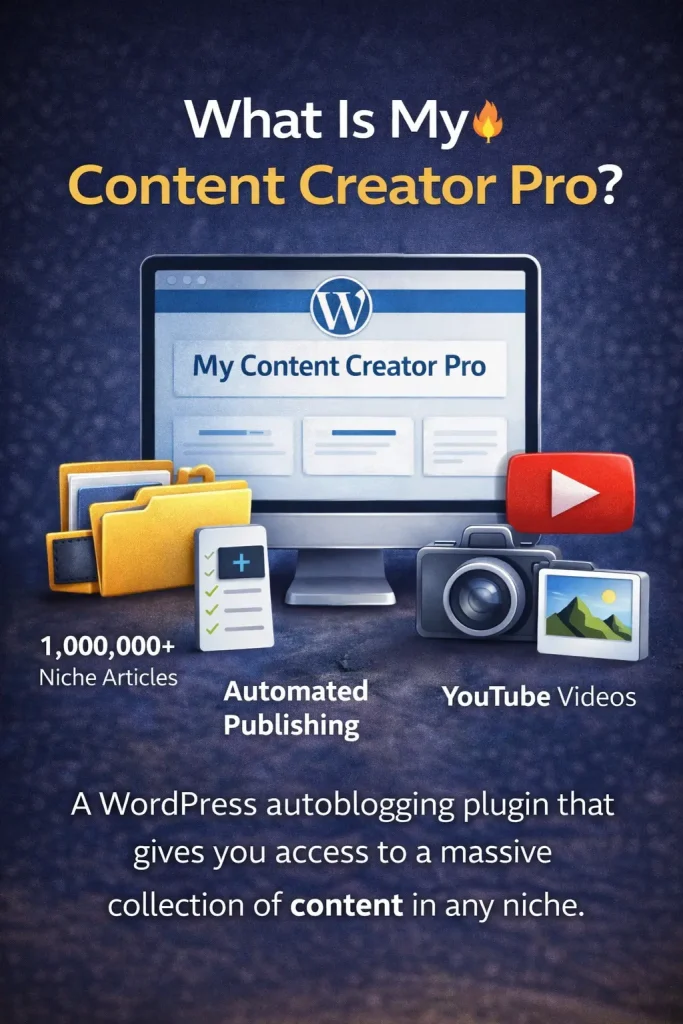
What Is My Content Creator Pro WordPress Plugin(Free Version)?
My Content Creator Pro is a WordPress autoblogging plugin that allows you to quickly publish niche articles to your website.
The plugin includes access to:
• Over 1,000,000 niche articles
• Copyright-free images
• YouTube videos you can embed
• Automated content publishing
• Scheduled blog posting campaigns
This makes it possible to populate your website with helpful content across many niches without writing every article yourself.
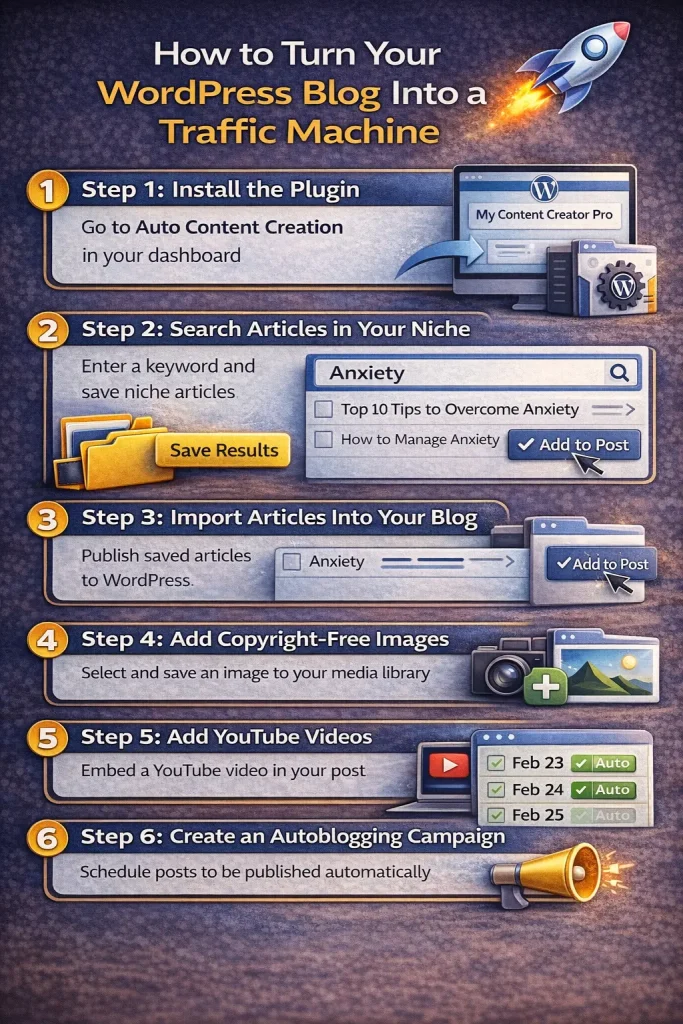
Step 1: Install the Plugin
Once you install the plugin in WordPress, it will appear in your dashboard menu.
Navigate to:
My Content Creator Pro → Auto Content Creation
This is where you can search for articles related to your niche.
Step 2: Search for Articles in Your Niche
Inside the plugin, you can search for articles using a keyword or category.
For example, if your blog focuses on anxiety topics, you can search for:
Anxiety
The system will display a list of articles related to that niche.
You can select the articles you want and click:
Save Results
Step 3: Import Articles Into Your Blog
Next, go to the Import Results section.
Here you will see the articles you saved and can choose which ones to publish.
Simply click:
Add to Post
The article will automatically be added to your WordPress blog.
Each article is designed to be SEO friendly and formatted for publishing.
Step 4: Add Copyright-Free Images
Images improve the quality of your content and can help increase user engagement.
Inside the plugin, you can search for copyright-free images by keyword.
For example, if your article is about anxiety, search:
Anxiety
The system will show images you can safely use on your website.
Select the images you want and click Save Results, and they will be added to your WordPress media library.
Step 5: Add YouTube Videos to Your Posts
Videos help increase time on page and make your content more engaging.
The plugin allows you to search for YouTube videos related to your niche.
Simply enter your keyword and the system will show relevant videos you can embed in your posts.
You can save and add them the same way as articles and images.
Step 6: Create an Autoblogging Campaign
If you want your website to update automatically, you can set up an autoblogging campaign.
Navigate to:
Autoblogging → Add New Campaign
Here you can choose:
• Campaign title
• Posting frequency
• Article category
• Images to include
• Videos to embed
For example, you could schedule your website to post one article every day.
Once the campaign is active, WordPress will automatically schedule and publish posts.
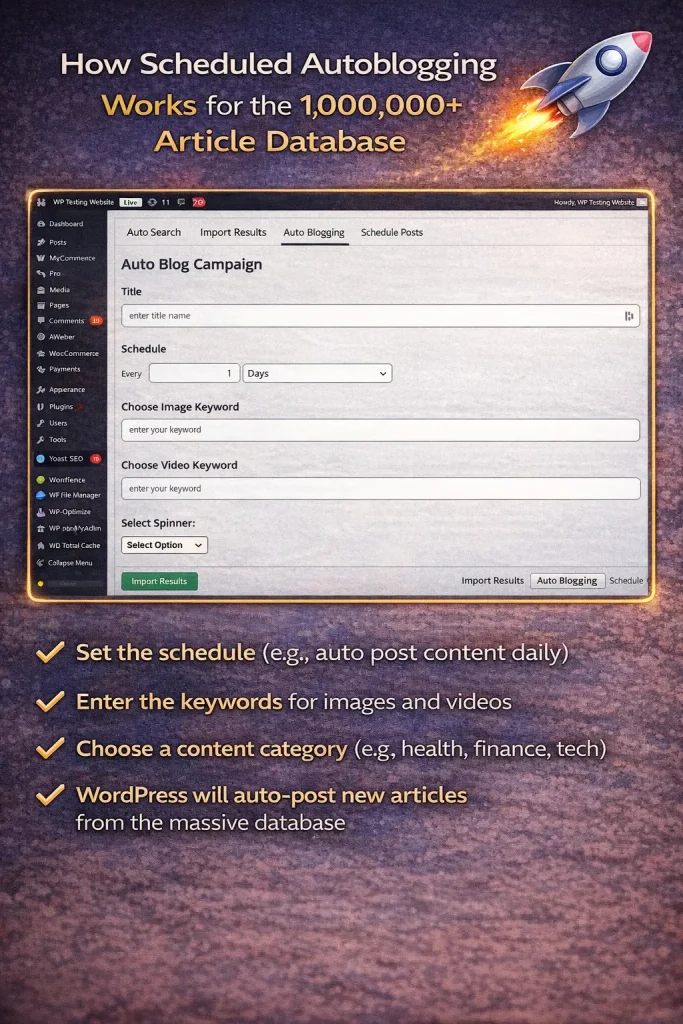
How Scheduled Autoblogging Works Using the 1,000,000+ Article Database
When you create an autoblogging campaign, WordPress automatically schedules future posts.
For example:
• February 23 – Article published
• February 24 – Article published
• February 25 – Article published
• February 26 – Article published
Your blog keeps publishing new content without you needing to log in and post manually.
What If You Don’t See Your Niche Category?
If your niche category is not listed in the system, you can submit a support request.
The team can create additional niche articles based on your request.
New articles are constantly being added to the database, which already includes over one million niche articles.
Why This Works for Niche Site Builders and Affiliate Marketers
Automation makes it easier to build large content websites.
With more articles on your site, you create more opportunities to:
• Rank in search engines
• Attract organic visitors
• Promote affiliate products
• Grow ad revenue
Instead of spending all your time writing content, you can focus on traffic growth and monetization.
Start Automating Your WordPress Blog
If you want to grow your website traffic faster, automation can help.
My Content Creator Pro allows you to quickly populate your blog with helpful content and keep your site updated automatically.
With access to over one million niche articles, plus images and videos, you can turn your website into a self-updating traffic machine.
Frequently Asked Questions
What is a WordPress autoblogging plugin?
A WordPress autoblogging plugin automatically publishes content to your website on a schedule. It allows you to import articles, images, and videos so your blog stays active without manually writing every post.
How does My Content Creator Pro work?
The plugin allows you to search for niche articles, save them, and publish them directly to your WordPress website. You can also schedule posts using autoblogging campaigns.
Are the images copyright-free?
Yes. The images provided in the plugin are copyright-free and safe to use on your website.
Can I schedule blog posts automatically?
Yes. The autoblogging feature lets you schedule posts daily, weekly, or at custom intervals so your site continuously publishes content.
What if my niche category is not available?
You can submit a support ticket requesting new articles in your niche. The system regularly adds new content categories.
How many articles are included?
The system currently includes over 1,000,000 niche articles, and new content is added regularly.
Does autoblogging help with SEO?
Publishing consistent content increases your chances of ranking for more keywords. More articles create more opportunities for search traffic.
Is the plugin free?
Yes. The free version of My Content Creator Pro gives users access to the article database, images, videos, and automation tools without a monthly fee.
What Is the Elite Version of My Content Creator Pro?
The Elite version of My Content Creator Pro is an advanced autoblogging plugin that uses AI powered by ChatGPT to generate unique content for your WordPress website.
Unlike the free version, which gives you access to a massive database of over 1,000,000 niche articles, the Elite version can automatically create new articles using artificial intelligence.
With the Elite version, you can:
- Generate AI-written blog posts for any niche
- Automatically publish new content to WordPress
- Add relevant images and videos to posts
- Schedule content with autoblogging campaigns
- Create more unique and dynamic content using ChatGPT
This makes it easier for niche site builders, affiliate marketers, and bloggers to scale their websites without spending hours writing content manually.
The AI system helps produce content ideas, outlines, and full articles that can be automatically added to your WordPress blog.
What Is the Difference Between the Free and Elite Versions?
The free version of My Content Creator Pro gives you access to a large database of prewritten articles across many niches.
The Elite version takes things further by using ChatGPT-powered AI to generate brand-new content on demand.
Here is a simple comparison:
- Access to 1,000,000+ niche articles
- Import articles into WordPress
- Add images and YouTube videos
- Schedule autoblogging campaigns
- AI-powered article creation using ChatGPT
- Generate unlimited new content
- More automation and customization options
- Greater flexibility for niche websites and affiliate marketing sites