
Key Takeaways
- My Content Creator Pro provides access to 1,000,000+ niche articles for WordPress websites.
- You can search articles by keyword or category directly inside the plugin.
- Articles can be published instantly or scheduled automatically using autoblogging campaigns.
- The plugin also helps you find copyright-free images and YouTube videos for your posts.
- New evergreen articles are added to the database every month.
What if you could instantly add hundreds or even thousands of niche articles to your WordPress website without writing them yourself?
With My Content Creator Pro, you can access a massive database of over 1,000,000 articles that can be imported directly into your WordPress blog.
This free WordPress autoblogging plugin makes it easy to:
- Find niche articles
- Publish them quickly
- Schedule posts automatically
- Add images and videos to your content
In this guide, you’ll learn exactly how the plugin works and how to start building your content library fast.
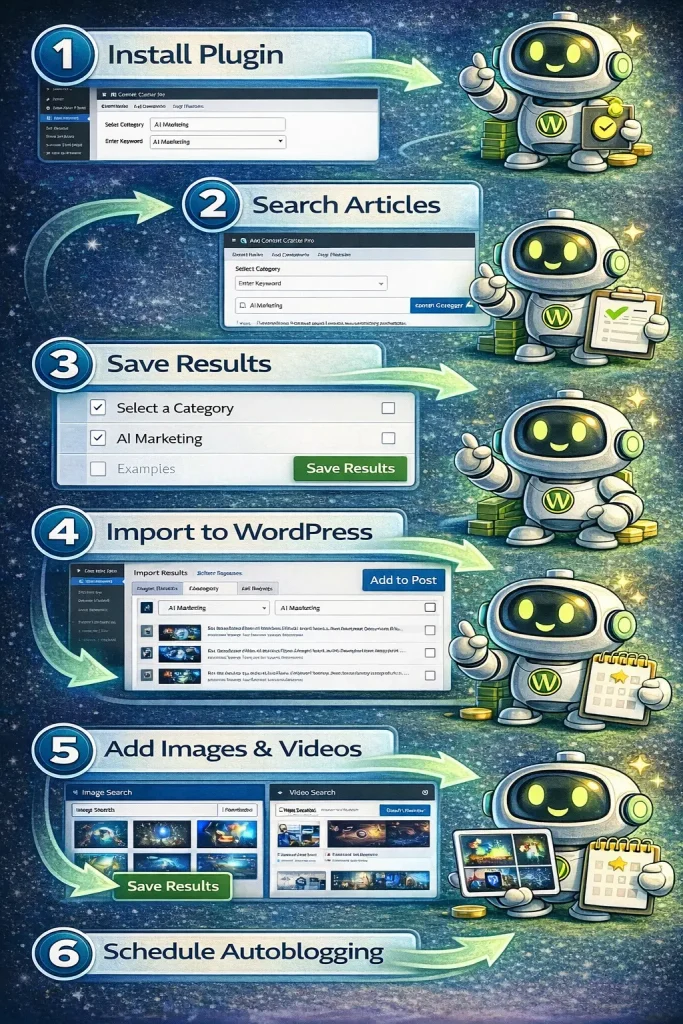
Step 1: Install the Plugin
Once you install My Content Creator Pro (Free Version), it will appear inside your WordPress dashboard menu.
Navigate to:
My Content Creator Pro → Auto Content Creation
This section allows you to browse and search through the article database.
Step 2: Search for Articles in Your Niche
Inside the plugin, you can search for content in two ways:
Option 1: Select a Category
Choose from hundreds of available niche categories.
Option 2: Enter a Keyword
Type a keyword related to your niche.
Example:
AI Marketing
The plugin will display a list of articles related to that topic.
In many cases, you’ll find dozens or even hundreds of articles available for each niche.
Step 3: Select Articles and Save Results
Once the results appear, simply select the articles you want to use.
For example:
- Select 10 articles from the first page
- Click Save Results
- Move to the next page
- Select more articles
You can repeat this process until you’ve selected 50, 100, or even more articles.
Saved articles will appear under:
Import Results
Step 4: Import Articles Into WordPress
After saving the articles, go to:
Import Results
Here you’ll see all the articles you selected.
To publish an article, simply click:
Add to Post
Each click will instantly publish that article on your WordPress site.
You can edit the article afterward if you’d like to add additional content or customization.
Step 5: Add Images and Videos
To make your content more engaging, the plugin allows you to add:
Copyright-Free Images
Go to:
Image Search
Enter a keyword such as:
AI Marketing
The plugin will display images you can safely use on your site.
Select the images you want and click:
Save Results
They will be added directly to your WordPress media library.
YouTube Videos
Videos can improve:
- Time on page
- User engagement
- Content depth
To find videos:
Go to:
Video Search
Enter your keyword and the plugin will display relevant YouTube videos.
You can save them and embed them in your blog posts.
Step 6: Set Up Autoblogging Campaigns
If you want your site to update automatically, you can create an autoblogging campaign.
Navigate to:
Autoblogging → Add New Campaign
Here you can configure:
- Campaign title
- Posting frequency
- Image keyword
- Video keyword
- Article category
- Articles to schedule
Example schedule:
1 new article per day
Once activated, WordPress will automatically publish posts according to your schedule.
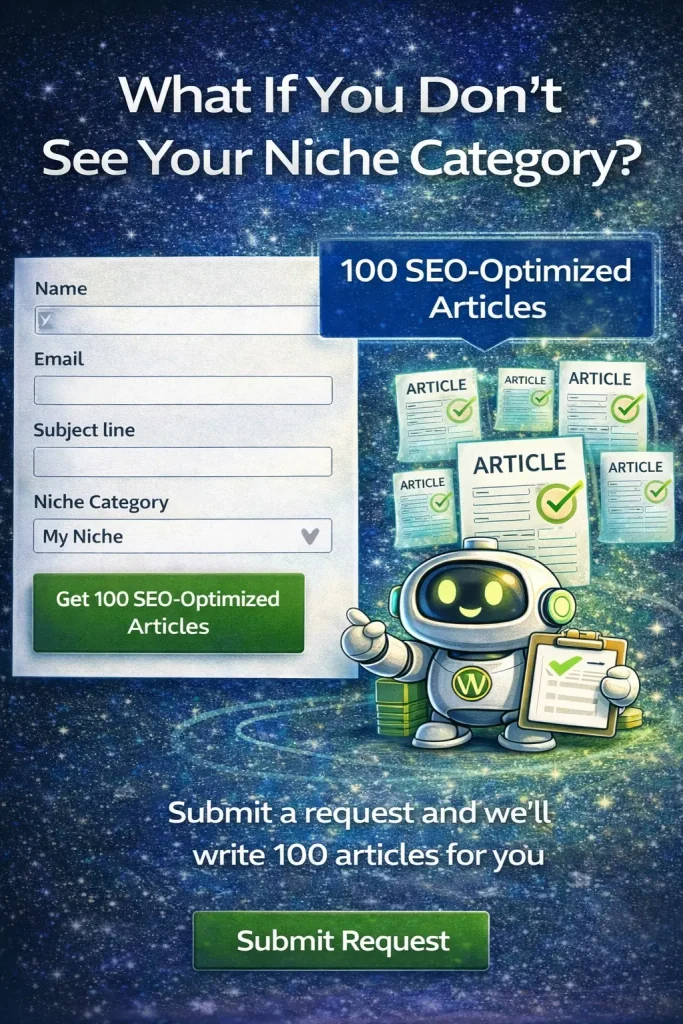
What If You Don’t See Your Niche Category?
If your niche category isn’t listed in the database, you can request it.
Simply submit a support ticket and request a new category.
The team can create:
100 SEO-optimized articles for your niche.
This ensures you always have content available for your specific topic.
Why This Works for Niche Sites
This strategy is extremely effective for building niche websites because:
- Search engines reward consistent content publishing
- More articles increase keyword coverage
- Content libraries build topical authority
- Automated posting saves time and effort
With a database of 1,000,000+ articles, you’ll never run out of content ideas.
FAQ
What is My Content Creator Pro?
My Content Creator Pro is a WordPress plugin that gives users access to a massive database of niche articles and tools for publishing them quickly or scheduling them automatically using autoblogging campaigns.
How many articles are included in the database?
The platform currently includes over 1,000,000 niche articles covering a wide range of categories and topics.
New articles are added regularly.
Can I schedule articles automatically?
Yes. You can create autoblogging campaigns that schedule posts to publish daily, weekly, or at custom intervals.
Are images included?
Yes. The plugin includes a search tool that allows you to find copyright-free images related to your niche.
Does the plugin include videos?
Yes. You can search for YouTube videos inside the plugin and embed them directly into your posts.
What is the Elite version of My Content Creator Pro?
The Elite version of My Content Creator Pro includes advanced features powered by ChatGPT and AI content generation.
With the Elite version, users can:
- Generate new AI articles
- Expand existing content
- Create unique posts faster
- Automate content workflows even further
This makes it easier to scale niche websites and content marketing strategies.