

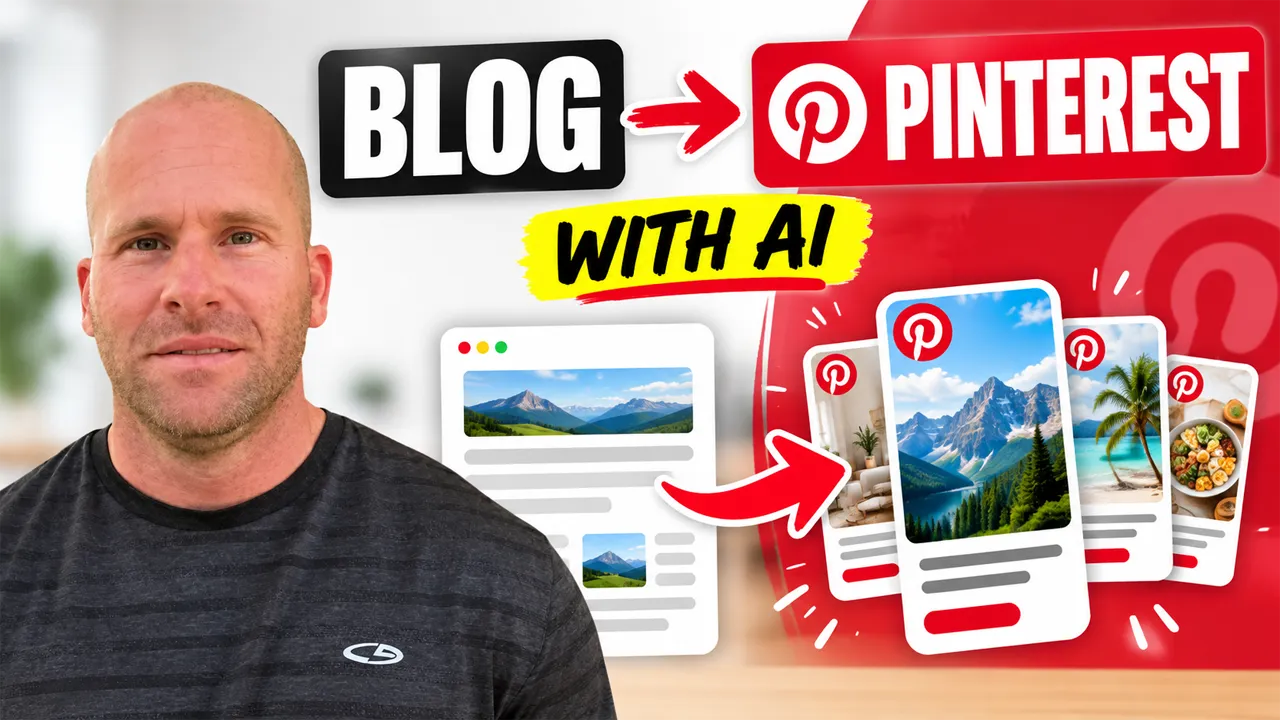
How to Turn a WordPress Blog Post Into Pinterest Content With AI: Step-by-Step Tutorial
Want to turn a WordPress blog post into Pinterest content with AI? The process is straightforward. Start with an existing WordPress article, identify the most useful ideas inside it, use AI to adapt those ideas into Pinterest-friendly content, review and personalize the results, and then pair the finished content with an appropriate visual for Pinterest.
Instead of starting from a blank page every time you want to create something for Pinterest, you can repurpose information you have already researched and published on your WordPress website.
That is exactly what I am going to show you in this tutorial.
I am Chad Portnova, Owner and Developer of My Content Creator Pro Elite. One reason I developed content repurposing tools inside the plugin was because I wanted an easier way to get more value from articles I had already worked hard to create.
Think about everything that goes into publishing a good WordPress article.
You research the subject. You organize your ideas. You write the article. You add images. You optimize everything. Then you finally publish it.
But publishing does not have to be the end of that content’s useful life.
That same article might contain several ideas that could become Pinterest content, social media posts, infographics, videos, and other marketing assets.
That is where AI content repurposing becomes especially useful.
Watch My Video: Turn a WordPress Blog Post Into Pinterest Content With AI
In the video above, I show you how I take information from an existing WordPress blog post and use AI to help turn it into Pinterest content.
You will see the actual workflow I use rather than simply reading about the idea.
Want to explore the WordPress AI tools I am using? Visit My Content Creator Pro Elite to learn more about its content creation and content repurposing features.
What Does It Mean to Turn a Blog Post Into Pinterest Content?
Turning a WordPress blog post into Pinterest content means taking useful information from an existing article and adapting that information into a format that makes sense for Pinterest.
That does not mean copying your entire 2,500-word article and trying to squeeze everything into a single Pinterest post.
Instead, you identify the strongest ideas inside the article.
Those ideas might include a helpful tip, a short list, an interesting fact, a step-by-step process, a common mistake, a recommendation, a checklist, or an answer to a frequently asked question.
Then you use that information as the foundation for new Pinterest content.
For example, imagine you published an article called:
10 Ways to Improve Your WordPress Website
That one article might include information about website speed, SEO, internal linking, images, security, content quality, mobile usability, and user experience.
Instead of trying to turn the entire article into one piece of Pinterest content, you could focus on individual ideas.
One piece of Pinterest content might highlight five quick WordPress speed tips.
Another could focus on common SEO mistakes.
Another could explain three simple ways to improve internal linking.
The source article remains the same, but you are finding additional ways to communicate the information.
That is the real idea behind content repurposing: one piece of research can become the foundation for several useful pieces of content.
Why Turn WordPress Blog Posts Into Pinterest Content?
If you have been blogging for months or years, you may already have far more potential Pinterest ideas than you realize.
Your WordPress website might contain 50, 100, 500, or even thousands of published articles.
Every one of those articles may contain individual ideas that could be repurposed.
Get More Value From Content You Already Created
This is one of the biggest reasons I like content repurposing.
You already invested time into researching and writing the original article.
Why use that information only once?
A detailed article may contain enough material for several different Pinterest ideas.
That does not mean you should create dozens of nearly identical posts. It means you can look at the article section by section and identify the ideas that are useful enough to stand on their own.
Spend Less Time Searching for New Ideas
One of the most frustrating parts of social media marketing can be constantly asking:
“What should I create today?”
When you use your existing WordPress articles as your starting point, that problem becomes much easier.
You already have the topic.
You already have the research.
You already have the information.
Now you simply need to decide which part of that information can be adapted for Pinterest.
Create a More Connected Content Strategy
Repurposing also helps connect your WordPress website with the other places where you publish content.
Instead of treating your blog, YouTube channel, Pinterest account, Facebook Page, Instagram account, and LinkedIn presence as completely separate projects, one original piece of content can help support all of them.
That is a much more efficient way to think about content marketing.
How to Turn a WordPress Blog Post Into Pinterest Content With AI
Now let us walk through the process step by step.
Step 1: Choose an Existing WordPress Article
Start by choosing a blog post that contains useful information.
You do not necessarily need to choose your newest article.
Older content can work extremely well as long as the information is still accurate and relevant.
Articles that work particularly well for repurposing often contain:
- Helpful tips and recommendations.
- Step-by-step instructions.
- Lists and checklists.
- Common mistakes to avoid.
- Interesting facts.
- Frequently asked questions.
- Problem-and-solution information.
- Educational explanations.
- Ideas and inspiration.
- Useful statistics or comparisons.
For example, suppose you have an article called “7 Ways to Improve Your WordPress SEO.”
That article might provide several completely separate Pinterest ideas.
One could focus on internal links.
Another could focus on images.
Another could discuss updating older articles.
Another might focus on writing better titles.
You do not need to force every idea into one piece of content.
Step 2: Identify the Strongest Pinterest-Friendly Idea
Before using AI, decide what you actually want to communicate.
Ask yourself:
What is the most useful idea in this article?
Could this information be explained visually?
Would someone find this tip useful even if they had never read the complete article?
Could the idea become a checklist, short list, tutorial, graphic, or infographic?
Choosing one clear idea helps keep the resulting Pinterest content focused.
For example, if your article contains ten SEO tips, you may decide that “5 Internal Linking Mistakes to Avoid” would make a stronger Pinterest topic than trying to summarize all ten SEO sections at once.
Step 3: Use AI to Repurpose the Information
Once you know what you want to use, AI can help adapt the original information into shorter content.
In my own workflow, I use the AI tools I developed inside My Content Creator Pro Elite.
The important thing is that I am not asking AI to invent a completely random Pinterest topic.
I am starting with information that already exists inside one of my WordPress articles.
The article provides the substance.
AI helps me repurpose it.
This is particularly useful if your website already has a large content library.
Instead of looking outside your website every time you need a new idea, you can start by searching through the content you already own.
Step 4: Create a Strong Pinterest Headline or Hook
Once you have the main idea, think about how to present it clearly.
A good headline should tell someone what the content is about without becoming exaggerated or misleading.
For example, your original article might be titled:
How to Improve WordPress Website Performance
A Pinterest-focused idea could become:
7 Easy Ways to Speed Up WordPress
Or:
5 WordPress Speed Mistakes to Avoid
Or:
WordPress Speed Checklist for Beginners
The underlying information comes from the original article, but the presentation is more focused.
Step 5: Decide What Type of Pinterest Content to Create
Pinterest content does not have to be limited to one format.
Depending on the subject, you might turn your article into a helpful visual, infographic, checklist, step-by-step graphic, list of tips, or another educational piece of content.
This is where looking at the structure of your original article can help.
If the article contains a list, that list might work well visually.
If it explains a process, you might turn the process into numbered steps.
If it answers common questions, you might focus on one question at a time.
If you want to create more detailed visual content, I have also created a tutorial on how to create Pinterest infographics from WordPress blog posts with AI.
Step 6: Review and Personalize the AI Content
This step is important with any AI-generated content.
Do not simply generate something and publish it without reviewing it.
Make sure the information is accurate.
Make sure it reflects the original article.
Remove unnecessary wording.
Correct anything that sounds awkward.
And make sure the finished content actually provides something useful.
AI should help you work with your information more efficiently. It should not replace your judgment.
Step 7: Pair the Content With a Relevant Visual
Pinterest is highly visual, so the image or graphic should support the information you are sharing.
If the content is about WordPress SEO, the visual should make sense for WordPress SEO.
If it is about gardening, the visual should relate to gardening.
If the content is a checklist, the design should make the checklist easy to understand.
The visual and the written information should feel like they belong together.
That sounds obvious, but it is easy to lose that connection when creating large amounts of content quickly.
Step 8: Connect the Pinterest Content Back to the Original Topic
One advantage of repurposing a WordPress article is that you already have a more detailed resource available.
The Pinterest content can introduce the idea, while the original article provides the deeper explanation.
For example, a Pinterest graphic might highlight five quick tips while your blog article explains all five in detail.
That creates a natural relationship between the shorter piece of content and the complete article.
Can One WordPress Blog Post Become Multiple Pieces of Pinterest Content?
Yes. One detailed WordPress article can potentially provide enough information for several different pieces of Pinterest content.
This is one of the most useful parts of the strategy.
Imagine that you publish a 2,500-word article containing ten tips.
One Pinterest idea could summarize all ten tips.
Another could focus on the first three.
Another could turn the most important tip into a detailed visual explanation.
Another could become a checklist.
Another could become an infographic.
Now one WordPress article is supporting several pieces of visual content without requiring you to research a completely new subject each time.
The important thing is to make each piece useful enough to stand on its own.
Avoid publishing several nearly identical graphics just to increase volume.
Focus on providing a different angle, takeaway, or presentation.
Turn One WordPress Article Into Content for Multiple Platforms
Pinterest is only one part of the larger opportunity.
The same article can potentially become content for several platforms.
You might turn part of the article into a Facebook post.
Another idea could become Instagram content.
A professional takeaway might become a LinkedIn post.
A list could become a Pinterest graphic.
The entire process could become a YouTube demonstration.
I have already created separate tutorials showing how to turn a WordPress blog post into a Facebook post with AI, how to turn a WordPress blog post into an Instagram post with AI, and how to turn a WordPress blog post into a LinkedIn post with AI.
You can also see my broader guide on turning WordPress blog posts into social media posts with AI.
The main idea is simple: one article does not have to remain one piece of content.
How My Content Creator Pro Elite Helps With Pinterest Content
As the Owner and Developer of My Content Creator Pro Elite, I have built content repurposing into the way I think about WordPress content creation.
If you have already put hours into researching and writing an article, it makes sense to look for additional ways to use that information.
That is one reason I developed AI content and social content tools inside My Content Creator Pro Elite.
I can begin with content already published on a WordPress website and use AI to help turn that information into something new.
I can then review the results, make changes, and decide how I want to use the finished content.
My Content Creator Pro Elite also includes tools for AI article creation, autoblogging, bulk content generation, AI images, infographic creation, SEO analysis, GEO analysis, internal linking, article rewriting, and other WordPress content workflows.
What I like about this approach is that the different tools can work together.
You can create an article.
You can optimize the article.
Then you can continue getting value from the information by repurposing it into other forms of content.
If you would like to explore the WordPress AI tools I am demonstrating, visit My Content Creator Pro Elite.
What Makes Good Pinterest Content From a Blog Post?
Good repurposed Pinterest content starts with useful source material.
If the original article does not offer anything useful, turning it into a graphic will not automatically make the information valuable.
Look for ideas that can be communicated clearly and quickly.
Practical tips work well.
Simple checklists can work well.
Step-by-step information can work well.
Educational comparisons can work well.
Lists of mistakes, recommendations, or ideas can also translate naturally into visual content.
The most important thing is that the Pinterest content should still help the person who sees it.
Do not make someone click simply to discover what the content is about.
Give them useful information first and let the original article provide additional depth.
Common Mistakes When Turning Blog Posts Into Pinterest Content
Trying to Include the Entire Article
A long-form WordPress article often contains far too much information for one piece of Pinterest content.
Choose the strongest ideas instead of trying to compress everything into one graphic or description.
Using Unrelated Images
The visual should support the topic.
An attractive image that has nothing to do with the information can create confusion rather than helping the reader understand the content.
Publishing AI Content Without Reviewing It
AI can make mistakes, misunderstand the source material, or produce wording that does not sound natural.
Always review the result before publishing it.
Creating Content Only for Quantity
More content is not automatically better content.
One useful, focused piece of Pinterest content can be more valuable than several repetitive pieces that say essentially the same thing.
Repurposing Outdated Blog Posts Without Checking Them
If you are using an older article, review the source material first.
Make sure the information is still accurate before turning it into new content.
Frequently Asked Questions About Turning WordPress Blog Posts Into Pinterest Content With AI
Can AI turn a WordPress blog post into Pinterest content?
Yes. AI can help identify and adapt useful information from an existing WordPress article into shorter content that can become the basis for Pinterest posts, graphics, lists, checklists, infographics, and other visual content.
Can one blog post create several Pinterest posts?
Yes. A detailed article may contain several individual ideas that can each become separate pieces of Pinterest content.
Should I copy my entire WordPress article onto Pinterest?
Usually not. It is generally better to choose a focused idea or takeaway and adapt it for Pinterest rather than attempting to reproduce an entire long-form article.
Can I use old blog posts for Pinterest content?
Yes. Older WordPress articles can be excellent sources of new content as long as you first make sure the information remains accurate and relevant.
Do I need to review AI-generated Pinterest content?
Yes. You should always verify the accuracy, relevance, wording, and overall quality of AI-generated content before publishing it.
Can My Content Creator Pro Elite help repurpose WordPress content?
My Content Creator Pro Elite includes AI content creation and social content tools designed to help you get more value from existing WordPress content. In the video included in this article, I demonstrate the workflow I use.
Can I turn the same blog post into Pinterest, Facebook, Instagram, and LinkedIn content?
Yes. One article can provide ideas for multiple platforms. The important thing is adapting the information and presentation for the platform instead of simply copying the exact same content everywhere.
Can I turn a WordPress blog post into a Pinterest infographic?
Yes. Articles containing lists, tips, tutorials, statistics, steps, or educational information can often be adapted into infographic-style content. I have a separate tutorial specifically showing how I create Pinterest infographics from WordPress blog posts with AI.
Will AI guarantee that Pinterest content gets traffic?
No. AI can help with content creation and repurposing, but it cannot guarantee views, clicks, engagement, website traffic, or sales.
Does content repurposing save time?
It can. Because the original research and information already exist, you do not necessarily need to research an entirely new topic every time you create another piece of content.
Final Thoughts: Turn WordPress Blog Posts Into Pinterest Content With AI
If you have been publishing WordPress content for months or years, you may already have a large library of potential Pinterest ideas sitting on your website.
You do not always need another topic.
You do not always need to begin with a blank screen.
Sometimes you simply need to look at the content you already created differently.
A tutorial can become a step-by-step visual.
A list can become a Pinterest graphic.
A collection of tips can become an infographic.
A frequently asked question can become educational content.
A detailed article can provide enough information for several separate Pinterest ideas.
That is what makes AI content repurposing so interesting to me.
You are not simply asking AI to produce more content for the sake of producing more content.
You are taking information you have already researched and finding additional ways to communicate it.
Your WordPress blog post does not have to be the end of the content creation process. It can become the starting point for many other pieces of content.
One article can potentially become Pinterest content, Facebook posts, Instagram posts, LinkedIn posts, infographics, YouTube videos, and other useful marketing assets.
If you would like to see exactly how I turn a WordPress blog post into Pinterest content, watch the video near the beginning of this article.
I show you the actual process I use with the AI tools I developed inside My Content Creator Pro Elite.
Want to use the same WordPress AI tools I am demonstrating?
Visit My Content Creator Pro Elite to learn more about its AI content creation, content repurposing, infographic, SEO, GEO, and other WordPress tools.