

Organic growth rarely comes from publishing more pages alone. It comes from helping search engines and visitors understand how those pages relate. A thoughtful WordPress internal linking strategy connects relevant content, spreads authority, improves navigation, and guides readers toward useful next steps. Unlike backlinks, internal links are fully within your control, so you can build, revise, and measure them as your site develops.
Internal linking means adding links from one page on your domain to another page on the same domain. A link from a guide about garden soil to a related article about composting is internal. A link to a supplier’s website is external. Both can be useful, but they serve different purposes.
The strongest strategy is not to add links everywhere. It is to create clear, relevant pathways between pages that answer related questions. Those pathways should help users first, while also giving search engines context about important pages and the structure of your site.
Why internal links matter for organic traffic
Internal links support organic traffic in several connected ways. First, they improve discovery. Search engines can find pages through links, especially when a new article is connected from an established page that is regularly crawled. A page with no internal links may be difficult for both crawlers and visitors to reach.
Second, links distribute signals through your website. A page that earns external references may have greater authority than a new page. Linking from the established page to a closely related resource can help search engines understand that the destination deserves attention. This is not a guarantee of rankings, and relevance remains essential, but a connected site is generally easier to interpret than an isolated collection of posts.

Third, internal links support user journeys. Someone reading an introductory article may be ready for a detailed tutorial, comparison, glossary entry, or service page. A relevant link reduces friction and keeps that person moving through your site. Longer, more useful visits do not automatically produce rankings, but they can improve the chance that visitors find the information or offer they need.
Finally, internal links clarify topical relationships. When several pages cover a subject from different angles, links can show which page provides the broad overview, which answers a narrow question, and which represents the primary commercial or informational resource.
Build a logical site structure
Before adding individual links, decide how content should be organized. A practical WordPress structure often includes cornerstone pages, supporting articles, category pages, and conversion pages.
A cornerstone page gives a broad, authoritative overview of an important subject. Supporting posts address specific questions, problems, or use cases. Those supporting posts should link back to the cornerstone page when appropriate, while the cornerstone page should link outward to the most useful supporting resources.
For example, a website about home coffee could have a main guide to brewing methods. Supporting articles might explain grind size, water temperature, French press technique, and espresso troubleshooting. The main guide can introduce each topic and link to detailed explanations. Each detailed article can link back to the main guide and sideways to closely related topics.
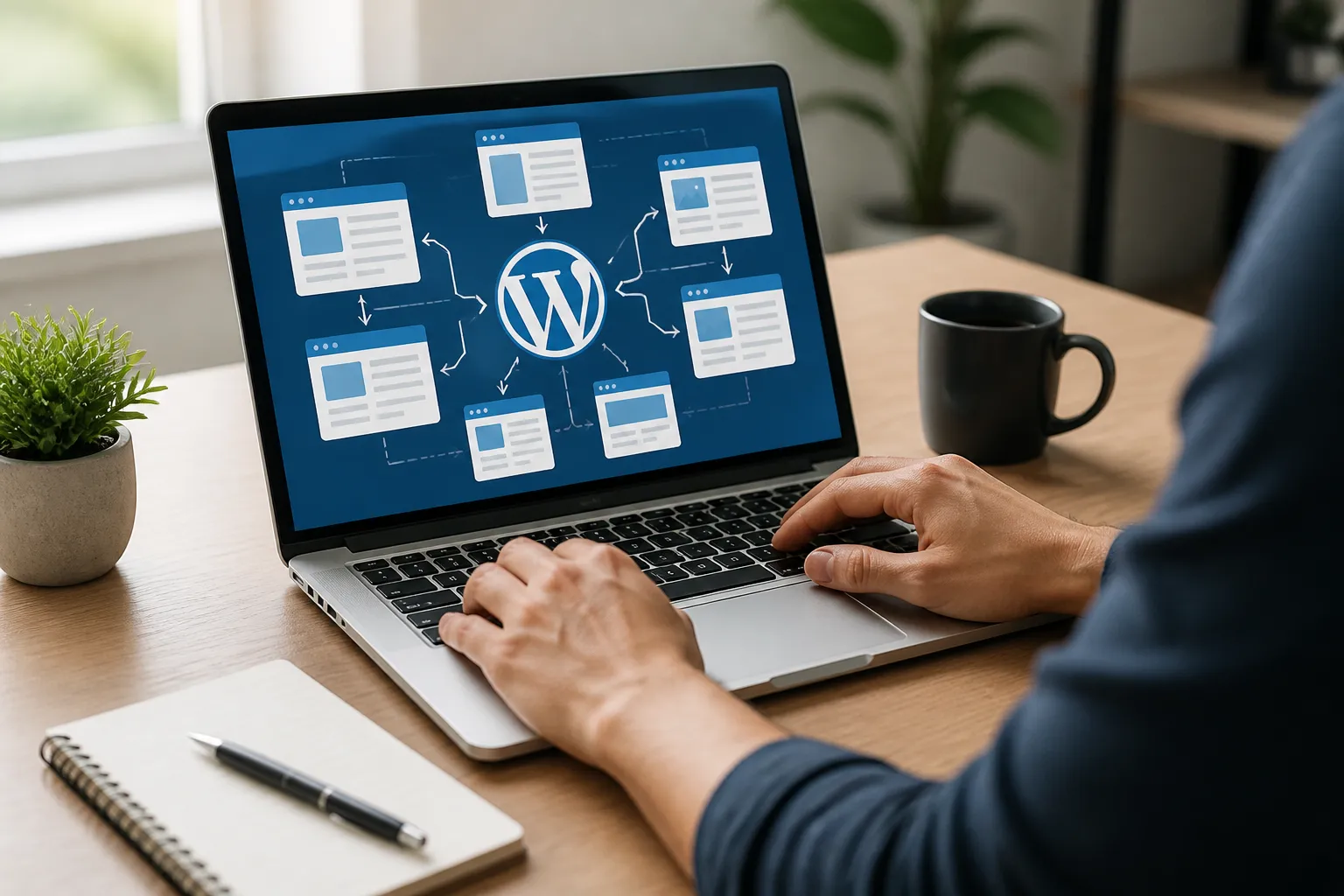
This creates a hub-and-spoke structure. The hub provides orientation; the spokes provide depth. It is more useful than forcing every post to link to every other post.

Categories and tags can assist organization, but they should not replace contextual links. A category archive may group pages automatically, yet a sentence within an article can explain why another resource matters. Context gives the link meaning that a generic archive often lacks.
Keep important pages close to the homepage in practical terms. A visitor should not need to pass through many unrelated pages to reach a key guide. Use navigation menus for major destinations, then use body links to connect detailed topics.
Map topics before publishing
Create a simple content map in a spreadsheet. Record each URL, its primary topic, search intent, content type, priority, and related pages. Mark cornerstone pages clearly. When planning a new article, identify at least three existing resources it could support and three pages that should link to it after publication.
This process prevents orphan pages, which are pages with no meaningful internal links pointing toward them. Orphan pages may still be indexed through a sitemap or external references, but they have weak integration with the rest of the site.
Choose destinations based on intent
A link should lead somewhere that advances the reader’s task. Ask what the visitor is likely to need next. Someone learning the basics may need a beginner guide. Someone comparing options may need a transparent comparison. Someone ready to act may need a pricing, booking, contact, or product page.
Match the destination to the surrounding sentence. If an article says, “Before choosing a template, review the accessibility requirements,” the link should lead to a useful accessibility guide, not a loosely related page about design trends.
Intent also helps prevent commercially aggressive linking. Adding a sales link to every paragraph can weaken trust and distract from the article. Use promotional destinations where they genuinely answer the reader’s question. Informational pages can link to commercial pages, but the transition should be clear and useful.
Consider page value as well. Prioritize links toward pages that are important to your goals, difficult to discover, or supported by strong evidence and practical detail. Do not concentrate every link on one page merely because it is commercially valuable. A balanced site helps users reach different stages of their journey.
Write descriptive anchor text
Anchor text is the clickable wording of a link. Effective anchor text tells readers and search engines what they can expect after clicking. “Learn more” is sometimes acceptable, but it provides little information when repeated throughout a page.
Use natural phrases such as “WordPress image optimization checklist” or “how to repair a leaking faucet,” provided those phrases accurately describe the destination. The wording does not need to match a target keyword exactly. In fact, forcing exact-match phrases can make prose awkward and encourage repetitive patterns.

Anchor text should be specific enough to set expectations, but not so long that the sentence becomes clumsy. Avoid using a whole paragraph as one link. Keep the clickable phrase visually clear and grammatically integrated.
Do not manipulate anchor text by inserting terms that the destination does not address. Misleading links increase frustration and may weaken the page’s usefulness. A concise, accurate description is more persuasive than a keyword-heavy phrase.
Also check link accessibility. Links should be distinguishable from surrounding text through more than color alone, and the wording should make sense when read independently. This matters for keyboard users, screen-reader users, and anyone scanning a page quickly.
Place links where they help
Contextual links within the main body often carry more practical value than links buried in a sidebar or footer. Place them near the moment a reader would benefit from additional information. If you introduce a technical term, link to its explanation. If you recommend a process, link to a detailed procedure.
Early links can help visitors discover important content quickly, but an article should not become a list of links in its opening paragraphs. Explain the subject first, then direct readers to the next relevant layer.
Use headings and surrounding paragraphs to create clear sections. A link in a section about email deliverability should point to a deliverability resource, not an unrelated general marketing page. Relevance at the section level is a useful quality test.
End-of-article recommendations can guide visitors after they finish reading. Offer two or three genuinely related options rather than a long collection of arbitrary links. Related-post plugins can help, but review their output. Automated suggestions sometimes produce weak or repetitive matches.
Connect new posts to established content
When publishing a new WordPress post, do not wait for links to appear naturally. Add links from the new post to relevant existing pages, then search your site for older articles that should link back to the new resource.
A practical workflow begins with a site search. Use WordPress search, your analytics platform, or a search query restricted to your domain to find pages mentioning the new topic. Read those pages rather than adding links mechanically. If a paragraph genuinely introduces the subject, insert a useful link and revise the surrounding text if necessary.
This backward-linking step is especially valuable for new content. Established pages may have stronger visibility and more accumulated authority than the new post. A relevant link from those pages can help users discover the article and help crawlers understand its place in the site.
Update older posts carefully. Preserve accurate information, avoid changing links solely for the sake of activity, and record important edits if your editorial process requires it. A link should improve the page, not interrupt a coherent explanation.
Audit internal links regularly
An internal link audit identifies missing connections, broken destinations, redirects, weak anchor text, and pages receiving too few links. You can perform a basic audit manually, but larger sites benefit from a crawler or a WordPress SEO tool that reports internal-link relationships. Tool features and terminology vary, so treat recommendations as prompts for review rather than automatic instructions.
Start with technical problems. Replace broken links, remove unnecessary redirect chains, and confirm that important pages are indexable. A link to a page blocked from indexing may still help users, but it should not be treated as a primary organic destination without understanding the reason for that setup.
Next, inspect orphan pages and heavily linked pages. An orphaned page may need links from relevant guides, category pages, or navigation. A page receiving an unusually large number of links may be a deliberate cornerstone, or it may reflect an automatic widget that creates noise.
Review anchor text for clarity and repetition. Check whether linked pages still satisfy the promises made by their anchors. Content changes over time; a destination that once matched a phrase may no longer do so.
Finally, examine user pathways. Can someone move from a broad topic to a detailed answer, then to an appropriate next action? If the journey stops abruptly, add a link only where the content supports it. Strong architecture is intentional, not crowded.
Avoid common internal-linking mistakes
One frequent mistake is adding links solely to meet a numerical target. There is no universal ideal number of internal links per article. The right amount depends on length, complexity, and reader needs. A short explanation may need only a few. A comprehensive tutorial may need more.
Another mistake is linking every occurrence of a phrase. Repeated links can distract readers and make a page look mechanically optimized. Usually, link the first meaningful occurrence or the clearest relevant phrase, then avoid unnecessary repetition.
Do not create competing pages without a plan. If several articles target nearly identical questions, internal links may not solve the underlying overlap. Consider combining pages, differentiating their purposes, or selecting one primary resource. Clear content roles make linking easier.
Avoid orphaning commercial pages. Product, service, and contact pages often receive attention in navigation, yet supporting educational content can provide valuable contextual routes toward them. Link carefully from relevant explanations, and make the commercial destination’s purpose obvious.

Do not remove useful links during redesigns. Changing categories, permalinks, or templates can break relationships across hundreds of posts. Test staging changes, preserve redirects when URLs must change, and crawl the site afterward.
Measure meaningful outcomes
Track internal linking as part of a broader organic strategy. Useful measures include organic entrances to important pages, impressions and clicks in search reporting, indexed-page coverage, engagement patterns, and conversions from content-assisted journeys.
Avoid assuming that a ranking change proves one internal link caused it. Search visibility is affected by competition, content quality, technical accessibility, external references, seasonality, and many other factors. Use comparisons over time and evaluate groups of related pages when possible.
Look for practical signals. Are users reaching deep pages that previously received little traffic? Are cornerstone pages gaining entrances from related articles? Are visitors moving from educational content to a relevant next step? These questions connect technical structure with business value.
Test improvements systematically. Update a defined group of pages, record the changes, and allow enough time for crawling and user behavior to produce meaningful observations. Keep a change log containing URLs, link locations, anchor text, and dates. This prevents repeated work and helps explain later performance shifts.
A practical WordPress workflow
Begin by listing your most important topics and pages. Identify cornerstone resources, supporting posts, and conversion destinations. Then inspect whether each important page has several relevant incoming links and whether those links come from understandable contexts.
When drafting a post, plan links alongside the outline. Include one link to a broad resource, several links to genuinely relevant detail, and an appropriate next-step link when the reader’s intent supports it. The exact count should follow the content, not a rule.
After publishing, add links from older related pages. Check the new URL, confirm that links work, and review the page on mobile. Make sure linked text is visible, destinations load correctly, and the pathway remains useful without relying on a particular screen size.
Schedule periodic reviews. A small site may review important pages every few months; a large publishing operation may use continuous monitoring. Review whenever you redesign navigation, merge posts, change permalinks, or retire content.
FAQ
How many internal links should a WordPress post have?
There is no universal number. Add enough links to support comprehension and navigation, but remove links that do not serve a clear purpose. A longer, research-heavy article naturally may need more links than a short announcement. Relevance, placement, and destination quality matter more than a fixed quota.
Should internal links open in a new tab?
Usually, same-site links can open in the same tab because predictable navigation is simpler. Opening every link in a new tab can burden users, particularly on mobile devices. A new tab may be appropriate in limited situations, but explain the behavior when it could surprise visitors.
Should I link to the same page more than once?
You can, but repetition is rarely necessary. If a long page contains separate sections where the destination is genuinely relevant, more than one link may help. Otherwise, choose the clearest location and avoid making the page feel over-optimized.
Are category links enough?
Categories help organize content, but they do not replace contextual links. A category page may group posts without explaining their relationships. Body links provide specific recommendations and help readers move from one question to the next.
Can internal links improve rankings immediately?
No reliable strategy guarantees immediate improvement. Search engines need to crawl and evaluate changes, while rankings depend on many factors. Internal links can improve discovery and topical clarity, but they work best alongside useful content, sound technical foundations, and honest alignment with search intent.
What should I do with broken internal links?
Replace them with a current, relevant destination when one exists. If the content has moved, update the URL and maintain an appropriate redirect. If no useful replacement exists, remove the link rather than sending users to an irrelevant page or a dead end.
Conclusion
A WordPress internal linking strategy grows stronger when it is treated as information architecture, not a checkbox. Organize related pages into understandable topic groups, connect cornerstone content with supporting resources, write accurate anchor text, and place links where they solve the reader’s next problem.
Use new posts to strengthen established pages, audit links after content and design changes, and measure pathways instead of chasing arbitrary link counts. The result is a site that is easier to crawl, easier to navigate, and more persuasive to visitors. Begin with your most important topic, map its related pages, and improve the connections one useful link at a time.