
Key Takeaways
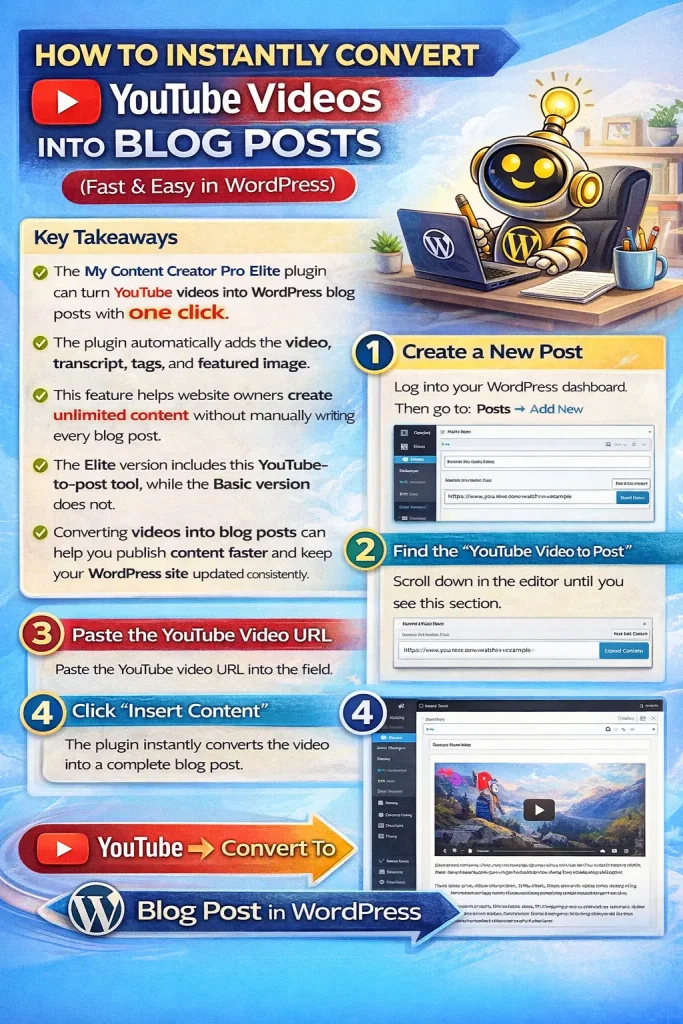
- The My Content Creator Pro Elite plugin can turn YouTube videos into WordPress blog posts with one click.
- The plugin automatically adds the video, transcript, tags, and featured image.
- This feature helps website owners create unlimited content without manually writing every blog post.
- The Elite version includes this YouTube-to-post tool, while the Basic version does not.
- Converting videos into blog posts can help you publish content faster and keep your WordPress site updated consistently.
What Is the YouTube Video to Blog Post Feature?
The YouTube Video to Post feature inside My Content Creator Pro Elite allows WordPress users to quickly convert YouTube videos into complete blog posts.
Instead of manually transcribing videos, embedding them, and formatting everything by hand, the plugin automates the process for you.
With one click, the system can:
- insert the YouTube video
- create written content from the video
- add the source link
- import the video tags
- set the featured image
This makes it one of the fastest ways to create fresh content for a WordPress website.
Why This Feature Is So Powerful
Content creation is one of the biggest challenges for bloggers, affiliate marketers, and website owners.
Writing articles manually can take hours.
But with this feature, you can turn existing YouTube videos into written blog posts in seconds.
Because YouTube has millions of videos across almost every niche, this gives WordPress users access to virtually unlimited content opportunities.
It’s especially useful for:
- bloggers
- affiliate marketers
- niche site builders
- content publishers
- businesses creating educational content
How To Convert a YouTube Video Into a Blog Post in WordPress
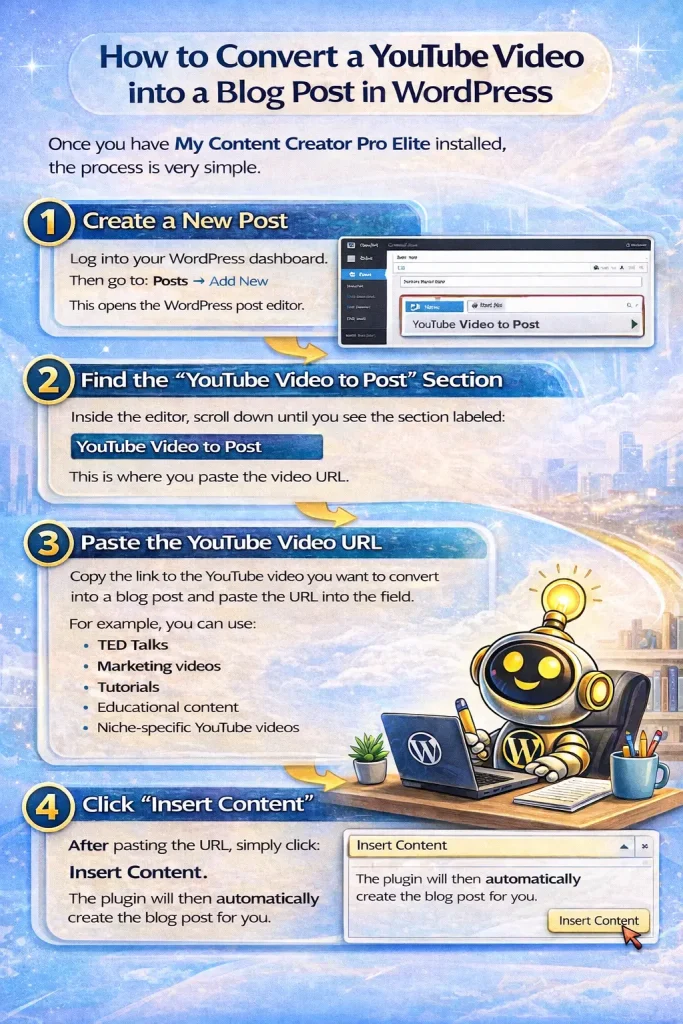
Once you have My Content Creator Pro Elite installed, the process is very simple.
Step 1: Create a New Post
Log into your WordPress dashboard.
Then go to:
Posts → Add New
This opens the WordPress post editor.
Step 2: Find the “YouTube Video to Post” Section
Inside the editor, scroll down until you see the section labeled:
YouTube Video to Post
This is where you paste the video URL.
Step 3: Paste the YouTube Video URL
Copy the link of the YouTube video you want to convert into a blog post.
Paste that URL into the field.
For example, you can use:
- TED Talks
- marketing videos
- tutorials
- educational content
- niche-specific YouTube videos
Step 4: Click “Insert Content”
After pasting the URL, simply click:
Insert Content
The plugin will then automatically create the blog post for you.
What the Plugin Automatically Adds
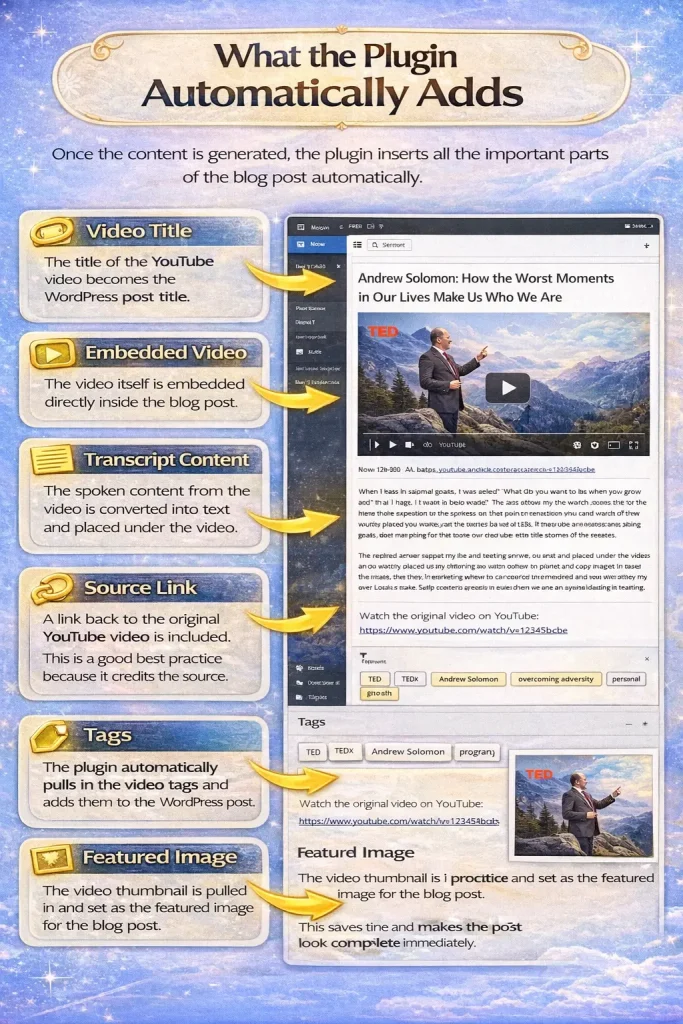
Once the content is generated, the plugin inserts all the important parts of the blog post automatically.
Video Title
The title of the YouTube video becomes the WordPress post title.
Embedded Video
The video itself is embedded directly inside the blog post.
Transcript Content
The spoken content from the video is converted into text and placed under the video.
Source Link
A link back to the original YouTube video is included.
This is a good best practice because it credits the source.
Tags
The plugin automatically pulls in the video tags and adds them to the WordPress post.
Featured Image
The video thumbnail is pulled in and set as the featured image for the blog post.
This saves time and makes the post look complete immediately.
Do You Need to Edit the Generated Blog Post?
In many cases, the generated post is ready to go right away.
The plugin adds:
- proper grammar
- punctuation
- formatting
- tags
- images
However, you can still make edits if you want to:
- clean up special transcript sections
- remove music references
- add your own commentary
- improve internal linking
- customize the article for your audience
This gives you speed and flexibility at the same time.
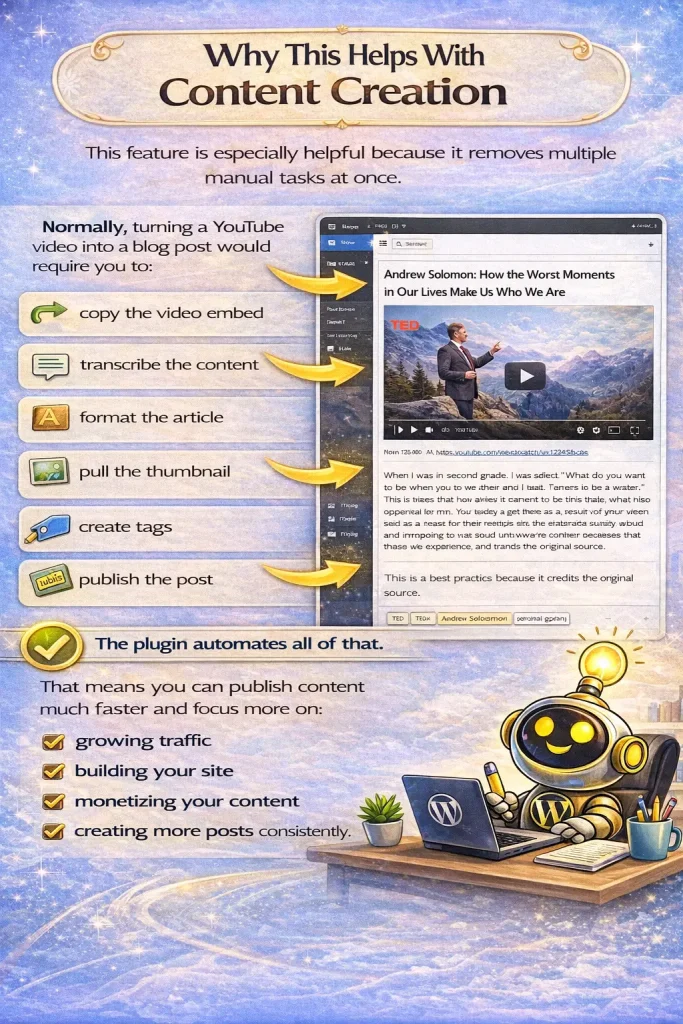
Why This Helps With Content Creation
This feature is especially helpful because it removes multiple manual tasks at once.
Normally, turning a YouTube video into a blog post would require you to:
- copy the video embed
- transcribe the content
- format the article
- pull the thumbnail
- create tags
- publish the post
The plugin automates all of that.
That means you can publish content much faster and focus more on:
- growing traffic
- building your site
- monetizing your content
- creating more posts consistently

Can This Help WordPress Websites Publish More Content?
Yes.
Since there are millions of YouTube videos across all kinds of niches, this tool gives WordPress website owners a simple way to keep adding fresh content to their sites.
That’s why it can be so powerful for people who need more content without spending hours writing every article from scratch.
Frequently Asked Questions
What does the YouTube Video to Post feature do?
It takes a YouTube video URL and turns it into a WordPress blog post by automatically adding the video, transcript content, tags, and featured image.
Does the plugin add the YouTube video to the post automatically?
Yes. The plugin embeds the video directly into the WordPress post.
Does it also create written content from the video?
Yes. The plugin converts the video into text content that appears below the embedded video.
Does it pull in the featured image too?
Yes. The video thumbnail is automatically added as the featured image for the blog post.
Are the video tags imported into WordPress?
Yes. The plugin automatically pulls in the tags from the YouTube video and applies them to the post.
Can I edit the blog post after it’s generated?
Yes. You can edit the title, transcript, tags, formatting, and anything else before publishing.
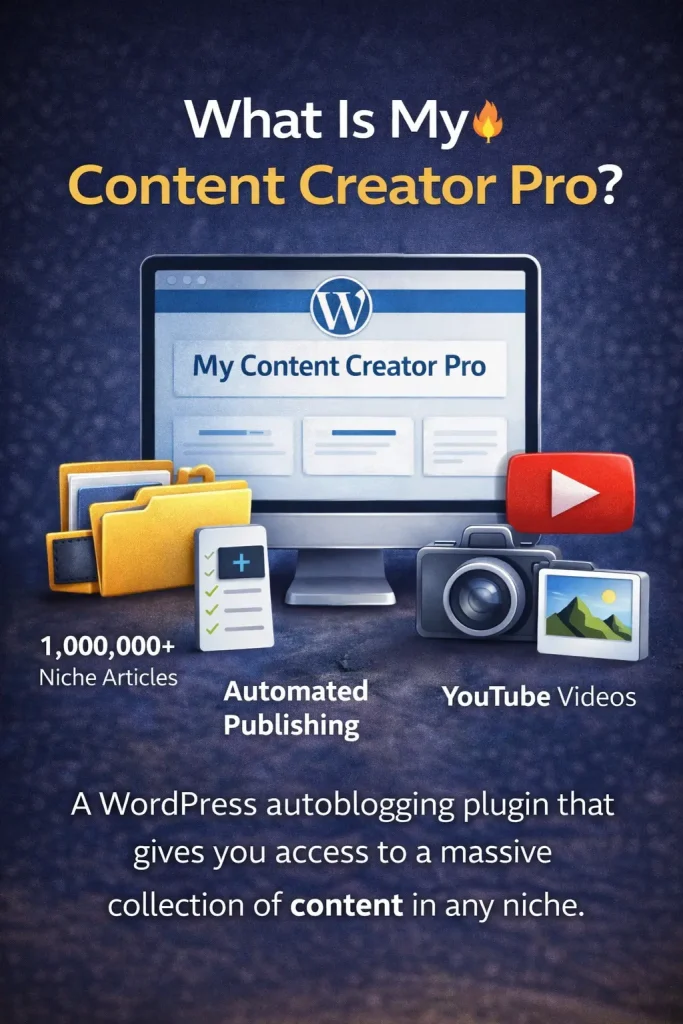
Do both the Free and Elite versions include the 1,000,000+ article library?
Yes. Free version provides access to the 1,000,000+ niche article library, but the Elite version includes more advanced AI-powered automation features on top of that content access.
That means the Elite version gives you the massive article library plus extra tools like YouTube-to-post conversion and other advanced automation features.
Is there a refund policy?
Yes. The video mentions a 30-day money-back guarantee.
Final Thoughts
If you want a fast way to turn YouTube videos into blog posts on your WordPress website, this feature can save you a huge amount of time.
Instead of manually transcribing, formatting, tagging, and embedding videos, My Content Creator Pro Elite does the work for you in one click.
For bloggers, marketers, and niche site builders, this can make content creation much easier.
And because YouTube has such a massive amount of niche content, the opportunity to keep publishing fresh blog posts is almost endless.
This makes the feature especially valuable for anyone who wants to scale their WordPress content faster.