
Start With the Newsletter’s Purpose
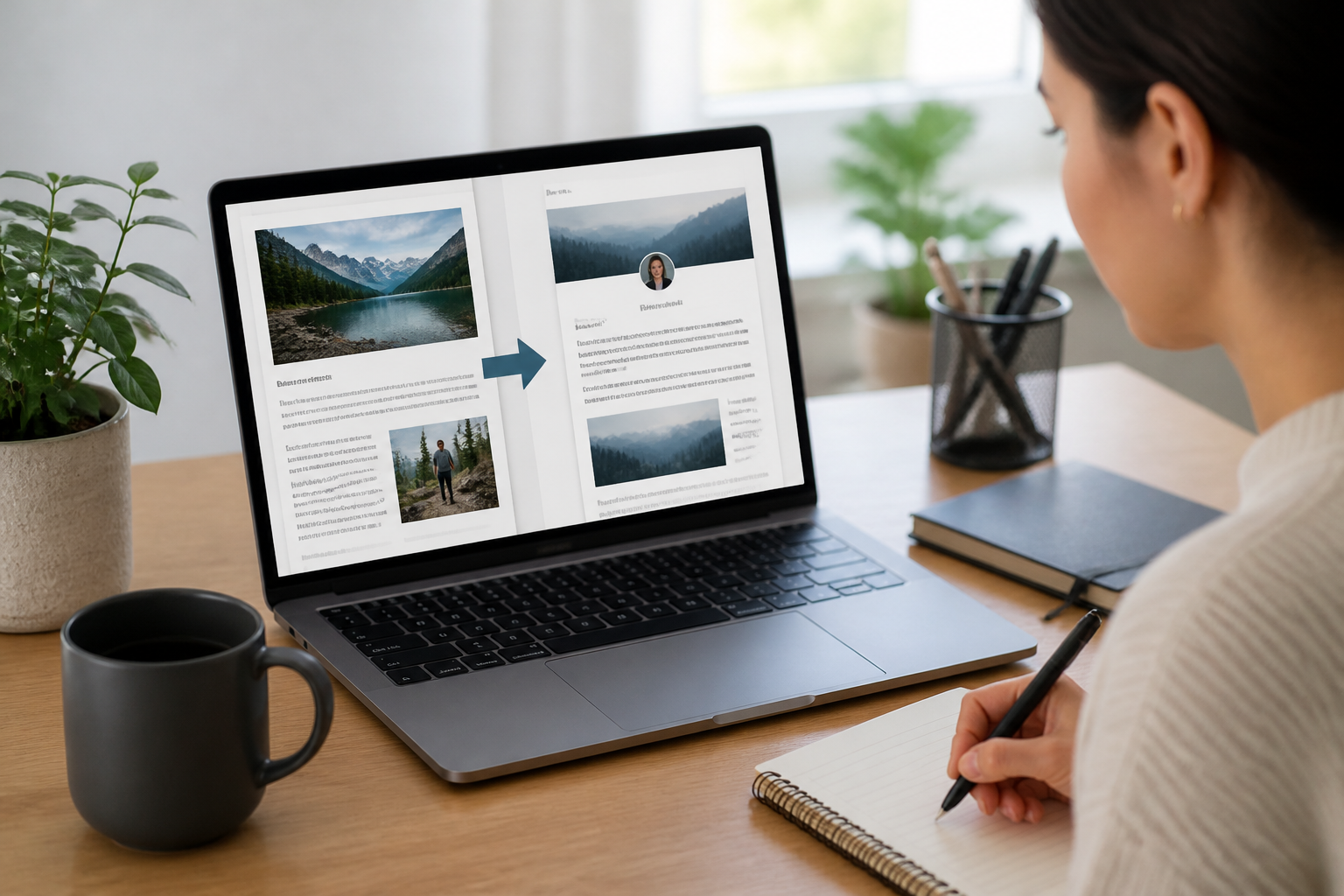
Repurposing a blog post into an email newsletter is not a matter of copying the article into an email and pressing send. A useful newsletter extracts the article’s most valuable idea, reshapes it for a reader’s inbox, and gives that idea a clear next action. The blog may educate visitors who have time to browse; the newsletter must earn attention quickly and create a personal reason to continue reading.
Begin by deciding what the email should accomplish. It might introduce a practical method, encourage readers to try one step, promote a related resource, or bring subscribers back to the full article. Choose one primary objective. Multiple competing goals usually weaken the message because readers cannot tell what matters most.
Read the original post with an editor’s eye. Mark its central promise, strongest supporting points, useful examples, common objections, and conclusion. Do not assume every paragraph belongs in the email. A blog post can contain background, search-oriented explanations, several subtopics, and links that are helpful on a website but unnecessary in a short message.
Write a single sentence that defines the newsletter’s value: “After reading this email, subscribers will understand or do _.” If you cannot complete that sentence clearly, refine the topic before drafting. This checkpoint prevents the newsletter from becoming a loose summary.
Select a Focused Angle
A strong newsletter usually narrows the blog post rather than reproducing it. If the article explains ten ways to improve workplace writing, the email might focus on one method, such as replacing vague openings with specific promises. That smaller angle feels more manageable and gives the reader a reason to click for the remaining advice.
Look for a useful tension in the article. Perhaps readers know they should plan content but struggle to turn planning into action. Perhaps a common shortcut saves time initially but creates extra work later. A newsletter can frame that tension, explain the practical lesson, and point to the complete post for context.
Another effective angle is a quick win. Choose one action that can be completed today without special equipment, extensive research, or a large budget. Explain why it works, provide a brief example, and invite readers to apply it. Immediate usefulness builds trust more effectively than broad promises.
Use the article’s intended audience as a filter. A beginner may need definitions and a simple sequence, while an experienced reader may prefer a diagnostic checklist or a less obvious distinction. Keep the core idea consistent, but adjust vocabulary, examples, and expectations to match subscriber knowledge.
Build a Simple Message Brief
Before drafting, record five decisions:
- The reader’s likely problem
- The one idea the email will teach
- The evidence or example supporting it
- The action the reader should take
- The destination link’s purpose
This brief takes only a few minutes, yet it reduces repetition and prevents unfocused introductions. It also makes later editing easier because every sentence can be tested against a stated goal.
Transform the Structure
Blogs and newsletters have different reading conditions. A blog post can support scanning through multiple headings, search visits, and lengthy explanations. An email competes with work, notifications, and many other messages. Therefore, transform the structure instead of shrinking every section proportionally.
A dependable newsletter pattern is:
- Start with a recognizable problem.
- Present the article’s main insight.
- Explain one or two supporting details.
- Offer a concrete action.
- Invite the reader to continue through one clear link.
This sequence creates movement. The problem establishes relevance, the insight supplies meaning, the details build confidence, the action creates usefulness, and the link offers depth.
Open with the reader’s situation, not with an announcement that a new post exists. “You published a detailed guide, but few subscribers clicked it” is more compelling than “We have a new article for you.” The first sentence identifies a concern; the second describes your publishing activity.
Condense background aggressively. Keep context only when it changes the reader’s understanding or prevents a likely mistake. Replace long histories with one orienting sentence. Convert lists into priorities. If the original article contains several equally important sections, select the section most closely connected to the email’s objective and mention the broader coverage through the link.
Retain nuance when it affects the recommendation. Concision should not turn a qualified statement into a universal rule. If a method works only for certain audiences, platforms, or situations, say so briefly. Trust is damaged when an email makes a complicated tactic sound effortless or guaranteed.
Write an Opening That Earns Attention
The opening should answer an implicit question: why should I care now? Connect the topic to a familiar frustration, desired outcome, recent decision, or overlooked opportunity. Avoid exaggerated urgency unless the situation genuinely requires it.
Several opening approaches work well. A problem opening names a costly or inconvenient pattern. A question opening invites self-assessment. A contrast opening places two approaches side by side. A short observation can also work when it leads quickly to a meaningful lesson.
For example, instead of writing, “This post covers email marketing,” write, “Your best blog posts can keep attracting visitors while your subscribers never hear about them.” The sentence creates a gap between existing value and missed opportunity. The next lines can explain that repurposing closes the gap without requiring a new topic.
Keep the opening specific. General claims about success, growth, or productivity are difficult to believe because they do not show what changes. Concrete language gives readers something to recognize and makes the following advice easier to understand.
Convert Sections Into Digestible Lessons
Choose two or three lessons from the original post, depending on its complexity and the email’s length. Each lesson should have a clear label or transition, an explanation, and a practical implication. Do not include five shallow points merely because the blog contains five headings.
A lesson becomes stronger when it includes a distinction. For instance, explain the difference between summarizing an article and adapting it. Summarizing reports what the article says. Adapting selects what a particular audience needs and presents it in a format suited to email. That distinction helps readers make better editorial choices.
Use examples selectively. An example should clarify an abstract recommendation, demonstrate a before-and-after change, or show how a reader might apply the advice. Remove decorative examples that repeat the point without adding understanding.
Create a Useful Call to Action
The call to action should match the newsletter’s purpose. If the email teaches a technique, ask readers to try it. If the blog contains a detailed process, invite them to read the full guide. If the goal is discussion, ask a focused question. One primary call to action is usually clearer than several unrelated buttons.
Make the action visible and precise. “Read the complete guide to see the full process” tells readers what the link contains and why clicking helps. “Learn more” offers no meaningful expectation. Use action language that describes the next step without overstating the benefit.
Place the main link after enough information to establish value, but do not conceal it at the very end if the email is long. A brief link near the central lesson can serve readers who are ready immediately; a repeated link should be used only when it improves navigation rather than creating pressure.

Ensure the landing page fulfills the email’s promise. If the newsletter says readers will find a checklist, the article should make that checklist easy to locate. Broken links, mismatched headlines, or a page that buries the promised information waste the attention earned by the email.
Adapt the Subject Line and Preview Text
The subject line and preview text form the first editorial decision readers make. Together, they should communicate relevance without repeating the same phrase.
A useful subject line may identify a problem, promise a specific lesson, or offer a concise question. Keep it accurate and avoid implying that the email contains more than it does. Curiosity can encourage opens, but ambiguity can produce disappointment and weaken future engagement.
Preview text should extend the subject line. Add context, a benefit, or a practical detail rather than restating the headline. Draft several combinations and ask whether a reader could understand the email’s value from the pair alone.
Avoid relying on urgency, excessive punctuation, or sensational wording. These tactics may attract a momentary click but can reduce confidence when the content feels ordinary. Clear relevance is a more durable reason to open.
Edit for Inbox Reading
After drafting, edit for speed and clarity. Read the email on a small screen or narrow window. Long paragraphs become intimidating on mobile devices, so keep paragraphs focused on one thought. Use short headings, bullets, and spacing where they genuinely improve navigation.
Remove repeated claims. If the opening states the problem, the next paragraph should advance the explanation rather than restating it. Replace abstract phrases with concrete verbs. “Improve your approach to planning” is weaker than “Choose one audience, one promise, and one next action before drafting.”
Check every sentence for its role. Does it establish relevance, explain the idea, support the recommendation, or guide the next step? If it does none of these, delete it or combine it with a sentence that does.
Preserve a natural voice. Repurposing should not produce mechanical language that sounds like an outline pasted into an email. Read the message aloud and revise abrupt transitions, overloaded sentences, and jargon. Conversational writing can remain professional when it is precise and respectful.
Review links, formatting, personalization fields, alt text, and unsubscribe information according to your email platform and applicable requirements. Send a test message to yourself. Check the subject line, preview text, mobile layout, button destination, spacing, and any images before scheduling delivery.
Improve the Newsletter With Feedback
Treat the first version as a useful draft, not a final verdict. Ask someone unfamiliar with the original article to identify the email’s main point and intended action. If they cannot, the message may contain too much background or competing priorities.
Use performance data carefully. Opens can be affected by mailbox privacy features, device behavior, and subject-line choices, so they do not measure attention perfectly. Clicks, replies, completed actions, and unsubscribe patterns can provide additional clues, but each metric has limitations.
If few readers click, examine the link’s relevance, placement, and promise before assuming the topic failed. If many readers click but leave quickly, compare the email’s promise with the landing page. If replies reveal confusion, clarify the explanation in a future version.
You can also repurpose one blog post into several newsletters when the article contains genuinely distinct angles. Separate beginner guidance, advanced cautions, examples, and implementation steps across different messages. Do not divide one thin idea into many emails simply to increase frequency. Each message should stand on its own and offer a complete benefit.
A Practical Repurposing Workflow
Follow this sequence each time:
- Choose a blog post with a clear audience and durable value.
- Define one newsletter objective and one reader action.
- Extract the central insight, strongest example, and important caveat.
- Draft an opening based on a recognizable problem.
- Teach one focused lesson rather than summarizing every section.
- Add a practical action and one relevant link.
- Write a truthful subject line and complementary preview text.
- Edit for mobile reading, clarity, accessibility, and accuracy.
- Test the message and landing page.
- Review responses and improve the next edition.
The observable checkpoint is simple: a reader should be able to state the email’s main lesson and next step after a quick read. If either remains unclear, adjust the angle, reduce secondary information, or rewrite the call to action.
Frequently Asked Questions
Should the entire blog post be copied into the email?
Usually, no. Copying everything creates a long message and gives readers little reason to visit the article. Extract the most useful idea, explain it sufficiently, and link to the complete resource for readers who want detail. A full-text email can make sense when the article is intentionally brief and the audience prefers receiving everything by email, but that should be a deliberate choice.
How long should the newsletter be?
There is no universal ideal length. It should be long enough to deliver a complete, useful lesson and short enough to maintain focus. A concise email may need only several paragraphs; a complex tutorial may require more. Judge the draft by clarity and reader effort, not by a fixed word target.
What if the blog post is outdated?
Update the email and article before promoting them. Check examples, links, platform instructions, terminology, and recommendations. If only some information has changed, explain the limitation clearly and point readers toward the current guidance. Do not present old advice as current merely because the article still attracts traffic.
Can one blog post produce multiple emails?
Yes, when it contains distinct, valuable angles. For example, one email can explain the core method, another can address common mistakes, and a third can provide an implementation checklist. Each email should have a different purpose and avoid repeating the same introduction.
Should the newsletter include every link from the article?
No. Include links that support the email’s immediate purpose. Too many options divide attention and make the next step uncertain. Keep secondary references inside the article or provide them only when they materially help readers act.
How can I make the email sound personal?
Use direct language, acknowledge a specific reader situation, and explain why the lesson matters. Personal does not mean inventing a private story or pretending to have experiences you do not possess. Relevance, helpful detail, and a respectful voice create connection without artificial intimacy.
Should I mention that the content was repurposed?
You may, but it is not necessary. Readers care about usefulness, not the production method. Mention it when transparency supports your relationship with subscribers; otherwise, focus on the adapted lesson and its practical value.
Conclusion
Repurposing a blog post works best when you treat the newsletter as a new editorial format, not a storage container for old text. Choose one audience problem, narrow the article to one meaningful angle, teach a complete lesson, and offer a clear next action. Then edit for inbox reading, test every element, and use feedback to refine future messages.
The process is efficient because the research and core thinking already exist, yet it still requires judgment. A successful email selects rather than copies, clarifies rather than compresses blindly, and respects the reader’s limited attention. When each newsletter delivers a focused benefit, your existing articles can continue creating conversations, visits, and useful action long after publication.