
Key Takeaways
• You can generate SEO-optimized blog posts in WordPress using ChatGPT with the My Content Creator Pro plugin.
• Articles can be generated in 10–30 seconds, saving hours of manual writing time.
• Built-in features automatically add SEO optimization, tags, FAQs, and conclusions to strengthen search visibility.
• You can enhance posts by adding YouTube videos and images to increase engagement and time on page.
• Custom settings allow you to control article length, writing style, tone, and language.

• AI automation helps you publish content faster while still maintaining quality and structure.
• When used correctly, ChatGPT autoblogging can help scale content production and grow organic traffic.
Creating high-quality blog content consistently is one of the biggest challenges WordPress site owners face.
Between keyword research, writing, formatting, and SEO optimization, publishing articles can take hours.
But with the right automation tools, you can dramatically speed up the process.
In this guide, you’ll learn how to create SEO-optimized blog posts using ChatGPT inside WordPress using the powerful automation features built into My Content Creator Pro.
This step-by-step demo shows exactly how the process works.
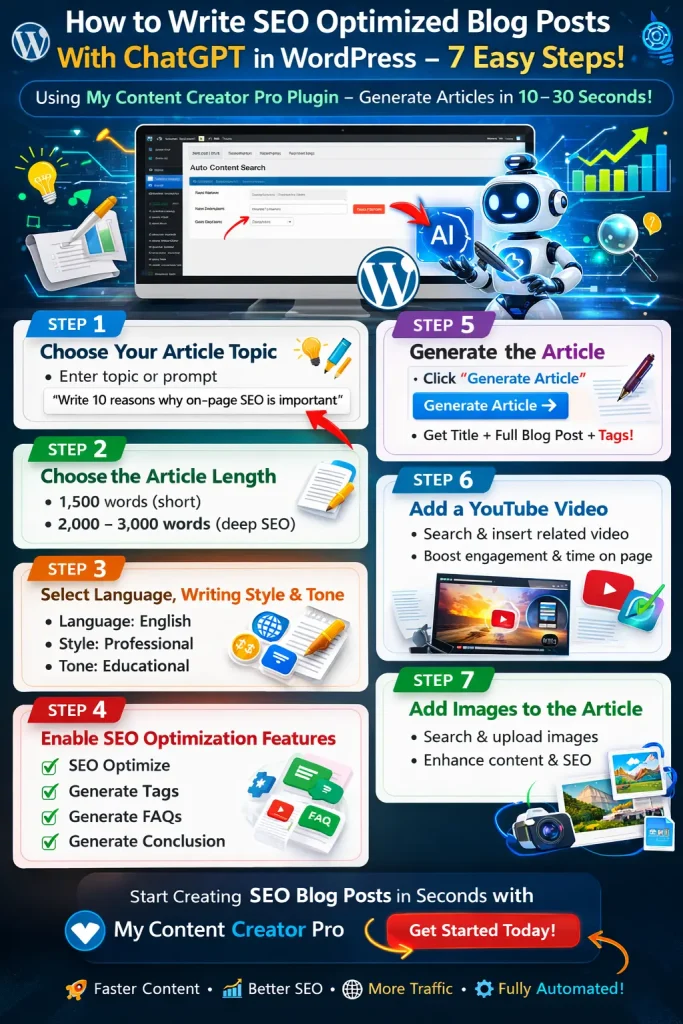
Step 1: Choose Your Article Topic
The first step is deciding what topic you want the article to cover.
In the demo example, the prompt used was:
“Write 10 reasons why on-page SEO is important.”
This topic works well because it targets an informational keyword that people frequently search for.
Inside the plugin, you simply enter your topic or prompt in the content generation field.
You can also add extra details in the description area if you want the AI to generate a more detailed article.
For example, you could add instructions like:
• Include examples
• Explain beginner strategies
• Add step-by-step tips
This helps the AI produce richer content.
Step 2: Choose the Article Length
Next, select how long you want the article to be.
Most SEO blog posts perform best when they are detailed and comprehensive.
A good range is typically:
• 1,500 words for shorter posts
• 2,000–3,000 words for deeper SEO content
In the demo, the article length was set to:
2,000 words
This length provides enough depth to explain the topic clearly while still being readable.
Step 3: Select Language, Writing Style, and Tone
The plugin also lets you customize how the article is written.
In the example video, the following settings were used:
Language: English
Writing Style: Professional
Tone: Educational
These settings work well for:
• tutorials
• SEO guides
• WordPress content
• informational blog posts
Because the plugin supports multiple writing styles and tones, you can adjust this depending on your niche.
Step 4: Enable SEO Optimization Features
One of the most powerful parts of the system is the built-in SEO settings.
These features help structure the article so it performs better in search engines.
You should normally enable all of these options:
SEO Optimize
This ensures the content structure follows best SEO practices.
The system continuously improves this feature to align with modern search engine guidelines.
Generate Tags
Tags help search engines better understand what your article is about.
They also improve organization inside WordPress.
Generate FAQs
Frequently Asked Questions help answer common reader questions.
They can also increase the chance of appearing in Google’s featured results.
Generate Conclusion
A strong conclusion helps summarize the article and provide readers with a clear takeaway.
Step 5: Generate the Article
Once everything is set up, generating the article is extremely simple.
Just click:
Generate Article
The system will automatically:
• create a title
• generate the full article
• add SEO tags
• structure the content
The process typically takes 10–30 seconds.
This is dramatically faster than writing a full article manually.
Step 6: Add a YouTube Video for Engagement
Another useful feature is the ability to add a relevant YouTube video to the post.
Adding video content can improve several important SEO metrics, including:
• time on page
• user engagement
• content depth
Search engines often reward pages where users spend more time consuming content.
In the demo, the plugin automatically searched for relevant videos related to SEO and allowed the user to select one.
The selected video is then inserted at the top of the blog post.
Step 7: Add Images to the Article
Images make blog posts more engaging and easier to read.
Inside the plugin, you can quickly search for images and upload them directly into WordPress.
For example, you can search for images related to:
• SEO
• blogging
• marketing
• WordPress
Once you select an image, it is automatically added to your WordPress media library.
You can then place the image anywhere within your article.
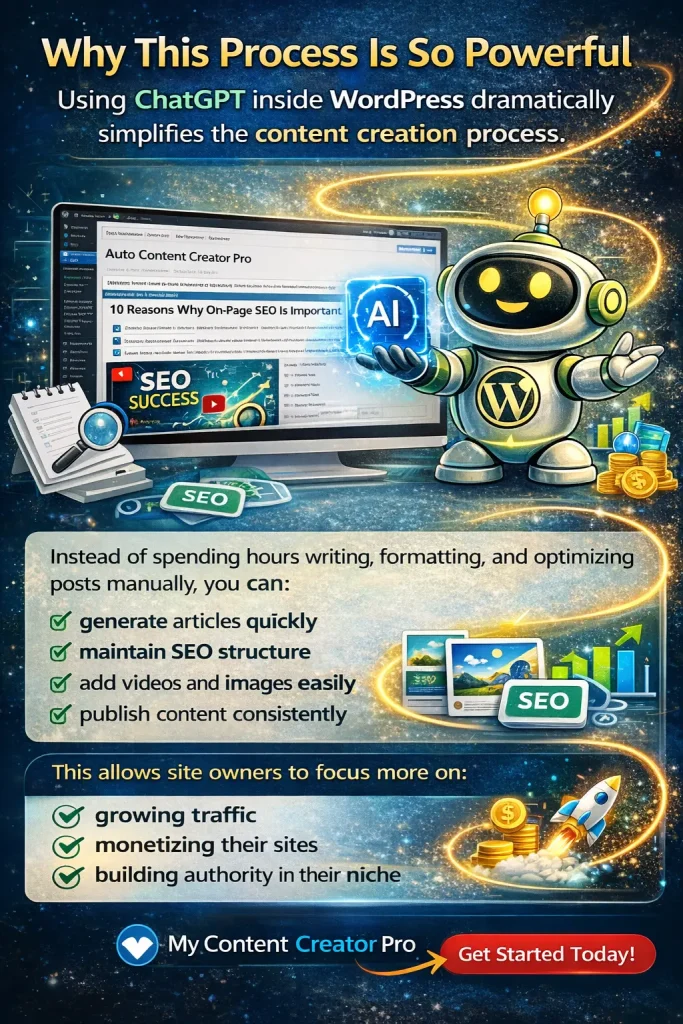
Why This Process Is So Powerful
Using ChatGPT inside WordPress dramatically simplifies the content creation process.
Instead of spending hours writing, formatting, and optimizing posts manually, you can:
• generate articles quickly
• maintain SEO structure
• add videos and images easily
• publish content consistently
This allows site owners to focus more on:
• growing traffic
• monetizing their sites
• building authority in their niche
Frequently Asked Questions
What is ChatGPT autoblogging in WordPress?
ChatGPT autoblogging in WordPress means using AI to generate blog posts automatically inside your WordPress dashboard. With tools like My Content Creator Pro, you can create SEO-optimized articles, tags, FAQs, and conclusions without manually writing each post.
Can ChatGPT write SEO-optimized blog posts?
Yes. When used with the right settings and prompts, ChatGPT can generate articles that follow SEO best practices, including structured headings, keyword relevance, FAQs, and clear conclusions.
How long does it take to generate a blog post?
With the My Content Creator Pro plugin, a full article can typically be generated in 10–30 seconds, depending on server speed and article length.
What article length works best for SEO?
Most SEO blog posts perform well between 1,500 and 3,000 words because longer content can cover topics more thoroughly and provide more value to readers.
Can I add images and videos to AI-generated blog posts?
Yes. You can easily insert images and YouTube videos into the generated article. Adding media can improve user engagement, increase time on page, and strengthen overall SEO performance.
Is AI content safe for SEO?
AI-generated content can perform well in search engines when it is useful, well-structured, and relevant to the topic. It’s still recommended to review and edit AI content before publishing.
What is the advantage of using My Content Creator Pro?
My Content Creator Pro allows WordPress users to automate blog content creation with AI, while also adding SEO structure, tags, FAQs, and media integration directly inside the WordPress dashboard.
What is the difference between the free version and the Elite version of My Content Creator Pro?
The free version of My Content Creator Pro gives you access to a massive database of 1,000,000+ niche evergreen articles that you can quickly import into your WordPress website.
The Elite version includes everything in the free version but also unlocks powerful ChatGPT-powered content generation features. With the Elite version, you can automatically create brand-new SEO-optimized blog posts, generate FAQs and tags, add YouTube videos, and schedule posts to publish automatically.
This allows website owners to not only import articles from the database but also generate unlimited new content for their niche directly inside WordPress.
Try My Content Creator Pro
If you want to automate your content creation and scale your WordPress blog faster, you can try the plugin demonstrated in this guide.
With My Content Creator Pro, you can:
• generate SEO-optimized blog posts with ChatGPT
• automatically add tags, FAQs, and conclusions
• insert videos and images into posts
• streamline your entire content workflow
Once installed, you’ll be able to create content just like the demo shown in this tutorial.