

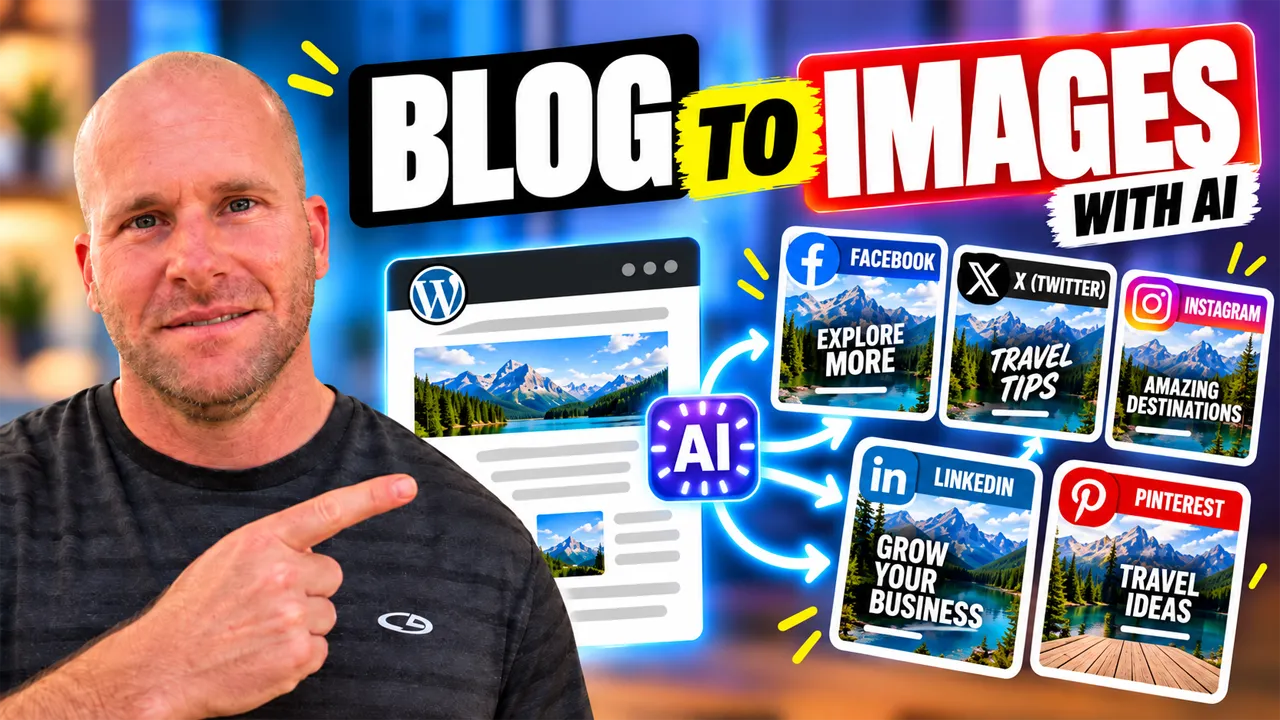
How to Create Social Media Images From WordPress Blog Posts With AI: Step-by-Step Tutorial
If you already have blog posts published on your WordPress website, you may already have the ideas you need to create a steady stream of social media images. Instead of starting with a blank design every time you need something for Facebook, X, Instagram, LinkedIn, or Pinterest, you can use AI to pull useful ideas from content you have already researched and written and turn those ideas into fresh visual posts.
That is exactly what I am showing in this tutorial. I take an existing WordPress blog post, identify the strongest visual ideas inside it, and use AI to help turn those ideas into social media images that fit different platforms. The goal is not to create one generic image and post it everywhere. The goal is to reuse the knowledge inside your article and transform it into visual content that is easier to notice, understand, and share.
I am the Owner & Developer of My Content Creator Pro Elite, and this is one of the workflows I use myself. I built the Social Content Generator into the plugin because I wanted an easier way to get more value from content that was already sitting on my WordPress websites.
Want to see the WordPress AI tools I use?
Learn more about My Content Creator Pro Elite →
What Does It Mean to Create Social Media Images From a Blog Post With AI?
Creating social media images from a blog post means using the article as the source of the idea instead of beginning with an empty canvas. Your post may already contain tips, lists, questions, steps, examples, comparisons, statistics, mistakes to avoid, or short takeaways that can be transformed into visual content.
For example, imagine you have a WordPress article called “10 Ways to Improve Your Website Content.” Each of those ten ideas could potentially become a separate social media image. One might become a Facebook graphic, another could work as an Instagram image, a business-focused idea could become a LinkedIn graphic, a short statement could work well on X, and a step-by-step idea could be adapted for Pinterest.
Why Turn WordPress Blog Posts Into Social Media Images?
Creating blog content takes time. You research the topic, organize the information, write the article, edit it, optimize it, choose images, and publish it. If the article is useful, there is no reason all of that work should only produce one piece of content.
Repurposing also reduces the pressure to constantly invent something new. Instead of asking, “What should I design today?” you can ask, “What useful idea is already inside one of my blog posts?” That is a much faster place to start.
If you have already been repurposing your articles into written posts, this visual workflow fits naturally with that strategy. I also have a guide on how to repurpose old blog posts into social media content with AI, which shows how existing articles can become an ongoing source of social ideas.
How to Create Social Media Images From WordPress Blog Posts With AI
1. Start With a Useful Existing Article
Choose a WordPress blog post that contains information people can understand in small pieces. Tutorials, list posts, educational articles, checklists, frequently asked questions, comparisons, how-to guides, and problem-solving articles are especially useful because they usually contain several individual ideas.
The article does not have to be new. An older evergreen post can work just as well as something you published yesterday, as long as the information is still accurate and useful.
2. Find the Most Visual Ideas Inside the Article
Not every paragraph needs to become an image. Look for ideas that can be understood quickly. A strong statistic, a short list, a before-and-after concept, a useful tip, a question, a quote, or a simple step-by-step process can all work well visually.
This is where AI can save time. Instead of manually rereading an entire article and trying to imagine every possible visual, AI can help identify the strongest ideas and suggest ways those ideas could be presented as social media graphics.
3. Match the Image to the Social Platform
The next step is to think about where the image will be used. Facebook, X, Instagram, LinkedIn, and Pinterest have different audiences and different styles of content. The same source article can support all five platforms, but the visual presentation should not always be identical.
4. Keep the Main Message Simple
A social image should not try to reproduce the entire blog post. Choose one main idea and make that the focus. If your image contains too much text or too many competing points, it becomes harder to understand at a glance.
A useful rule is to let the image communicate the hook or key takeaway while the social caption adds context. The full blog post can provide the deeper explanation for anyone who wants more information.
Creating Facebook Images From WordPress Blog Posts With AI
Facebook works well for visual tips, questions, quick lessons, before-and-after ideas, short lists, and graphics that encourage conversation. If one section of your blog post explains a common mistake, that section could become an image with a short headline such as “Are You Making This WordPress Mistake?”
The caption can then explain the issue in more detail and invite people to comment. You do not need to put the entire explanation on the image itself.
If you want to see how the written side of the process works, I also have a tutorial showing how to turn a WordPress blog post into a Facebook post with AI.
Creating Images for X From WordPress Blog Posts With AI
X moves quickly, so simple graphics with one clear idea can work well. A short statement, quick statistic, strong question, or concise takeaway from a blog post can become the basis of an image that supports the text of the post.
Creating Instagram Images From WordPress Blog Posts With AI
Instagram is naturally visual, so blog content can become a strong source of image ideas. A list can become a graphic. A question can become a bold visual hook. A series of tips can become several separate posts. A step-by-step article can provide the ideas for a sequence of images.
The key is to make the visual easy to understand without trying to force the full article onto the image. Use the caption for the additional explanation and let the image do the job of getting attention.
I also have a separate tutorial on how to turn a WordPress blog post into an Instagram post with AI if you want to see how I repurpose the written content as well.
Creating LinkedIn Images From WordPress Blog Posts With AI
LinkedIn is a strong fit when the source article contains professional, business, marketing, technical, educational, or productivity-related ideas. A strong business insight can become a simple graphic that highlights the main lesson, while the LinkedIn post provides the story or explanation behind it.
You can also see my guide on how to turn a WordPress blog post into a LinkedIn post with AI for the written repurposing workflow.
Creating Pinterest Images From WordPress Blog Posts With AI
Pinterest is especially useful for visual content built around ideas, tutorials, lists, checklists, steps, solutions, and educational topics. A detailed WordPress article may contain several sections that can each become a separate Pinterest image.
I have a full tutorial showing how to turn a WordPress blog post into Pinterest content with AI. I also created a separate guide on how to create Pinterest infographics from WordPress blog posts with AI.
One Blog Post Can Become More Than One Social Media Image
One of the biggest mistakes people make with content repurposing is assuming that one article should produce one image. In reality, a detailed article can contain many independent ideas.
Imagine a blog post with five tips, three common mistakes, a four-step process, a short checklist, and several examples. That single article could potentially become:
- Five tip-based social media images
- Three “mistake to avoid” graphics
- Four step-based graphics
- One checklist image
- Several question-based images
- Different versions for Facebook, X, Instagram, LinkedIn, and Pinterest
Now think about what happens when you apply that process to 50, 100, or 500 articles. Your WordPress website can become a large library of visual content ideas instead of simply a collection of finished blog posts.
Why AI Makes Social Media Image Creation Faster
The time-consuming part of creating social media images is often not the final image itself. It is figuring out what to create, which idea to use, how to phrase it, and how to adapt it for a particular platform.
AI can help shorten that process. It can analyze the source article, identify useful ideas, suggest hooks, rewrite longer explanations into shorter visual messages, and help create platform-specific concepts.
How I Use My Content Creator Pro Elite for Social Media Images
Inside My Content Creator Pro Elite, I built the Social Content Generator so I could work directly from my WordPress content instead of constantly starting over in separate tools.
I can begin with an existing article and use the information inside it to create social media content and images for Facebook, X, Instagram, LinkedIn, and Pinterest.
The biggest benefit for me is time. I do not have to stare at a blank screen and invent another idea every time I want to post something. I already have the source material. The AI helps me turn that source material into another useful format.
If you want to see the tools I use, visit My Content Creator Pro Elite.
Turn the Same Blog Post Into Written Social Content Too
Visual content becomes even more useful when you pair the image with a strong written post. The same article that provides the idea for the image can also provide the information for the caption, description, question, hook, or call to action.
That means you can take one WordPress article and create both the social image and the written content that goes with it.
I show the broader process in my tutorial on how to turn a WordPress blog post into social media posts with AI.
You Can Also Turn Blog Posts Into Infographics
Some articles contain enough information to go beyond a single social image. If the content includes several steps, statistics, comparisons, or related tips, an infographic may be a better format.
I have a tutorial on how to turn a WordPress blog post into an infographic with AI, as well as a separate guide showing how to create an infographic from a blog post with AI.
Best Practices for AI-Generated Social Media Images
Use One Clear Idea
Do not overload the image. A viewer should be able to understand the main point quickly. If the source article contains several ideas, create several images instead of squeezing everything into one design.
Make the Text Easy to Read
Social images are often viewed on phones. Keep headlines short, use strong contrast, and avoid filling the design with tiny text that becomes unreadable on a small screen.
Match the Visual to the Article
The image should support the idea you are presenting. If the article is about WordPress SEO, the visual should feel connected to WordPress, SEO, websites, rankings, content, or the specific point being discussed.
Adapt the Image to the Platform
Do not assume one format is automatically ideal everywhere. Facebook, X, Instagram, LinkedIn, and Pinterest can benefit from different layouts, messaging, and visual emphasis.
Review AI-Generated Images Before Publishing
AI can be extremely helpful, but you should still review the finished image. Check spelling, text placement, logos, hands, objects, platform names, and any other details that may have been generated incorrectly.
Common Mistakes to Avoid
One common mistake is trying to include too much information. Social media images are not replacements for the full article. Their job is to communicate one strong idea and make people interested enough to read, engage, or learn more.
Another mistake is creating the same generic image for every platform. Reusing the idea is smart. Reusing the exact same presentation every time may not be.
Another mistake is relying on AI without reviewing the result. A fast image is not useful if the text is wrong, the visual does not match the topic, or the design looks confusing.
Finally, do not assume an older article has no value. If the information is still accurate, that article may contain dozens of ideas that can become social media images today.
Frequently Asked Questions
Can I create social media images from old WordPress blog posts?
Yes. Older articles can be excellent sources of visual content as long as the information is still accurate and relevant. Review the article first and update anything that is outdated before repurposing it.
Which social platforms can I create images for with My Content Creator Pro Elite?
The Social Content Generator can help create content and images for Facebook, X, Instagram, LinkedIn, and Pinterest.
How many social media images can one blog post create?
There is no fixed number. A short article might provide only a few strong ideas, while a detailed tutorial or list post could provide many separate image concepts. Look for tips, steps, questions, statistics, examples, lists, mistakes, and takeaways that can stand on their own.
Should I put a lot of text on social media images?
Usually, less is better. Keep the main message easy to understand and use the post caption or description for additional information. This is especially important because many people will see the image on a mobile device.
Can AI create the written social media post too?
Yes. The same source article can be used to help create both the image concept and the written social media content that goes with it. That is one of the main advantages of building a repurposing workflow around content you already have.
Final Thoughts: Turn Your WordPress Content Into a Visual Content Library
If you already have WordPress blog posts, you do not have to start from zero every time you need a social media image.
Your existing articles may already contain tips, questions, lists, statistics, tutorials, steps, examples, and useful ideas that can become visual content for Facebook, X, Instagram, LinkedIn, and Pinterest.
AI can help you find those ideas faster, shorten them into visual messages, and create different versions for different platforms. That can save time, make it easier to stay consistent, and help you get more value from every article you publish.
The key is to keep the images simple, useful, relevant, and easy to understand. Let the blog post provide the depth. Let the social image communicate one strong idea.
If you want to see exactly how I do this inside WordPress, watch the video above. And if you want to learn more about the AI content creation, social media, SEO, GEO, autoblogging, internal linking, rewriting, and infographic tools I built, visit My Content Creator Pro Elite.
One WordPress blog post can become much more than one article. It can become written social content, multiple social media images, infographics, and an ongoing source of ideas you can continue using across your entire content strategy.